
Accelerate your file investigations with new and improved string reuse capabilities in Intezer Analyze
Users of Intezer Analyze may have noticed new and improved strings features in the platform. These string reuse capabilities make it even easier to investigate suspicious files using Genetic Malware Analysis.
- Search for relevant strings that can provide additional context about the nature of a threat
- Filter by tags (network artifact, file path), family type (malware, admin tool, packer, library) and specific malware family (Lazarus, TrickBot)
- Pivot between related samples that contain the same strings
What can strings reveal about the nature of a file?
Unlike binary code, strings are typically easier to explicate. Extracting relevant strings can provide context about the program functionality and indicators associated with a suspect binary. Strings can be references to filenames, domain names, URLs, IP addresses, attack commands, registry keys and more. Although they do not always paint a clear picture of the purpose or capability of a file, certain strings can provide a hint about what a malware is capable of doing (via Packt>).
Search for revealing strings
Relevant strings — such as a filename or domain name — can strengthen a security analyst's conclusion about the intention of a file. In some cases, strings can also help to classify a malware.
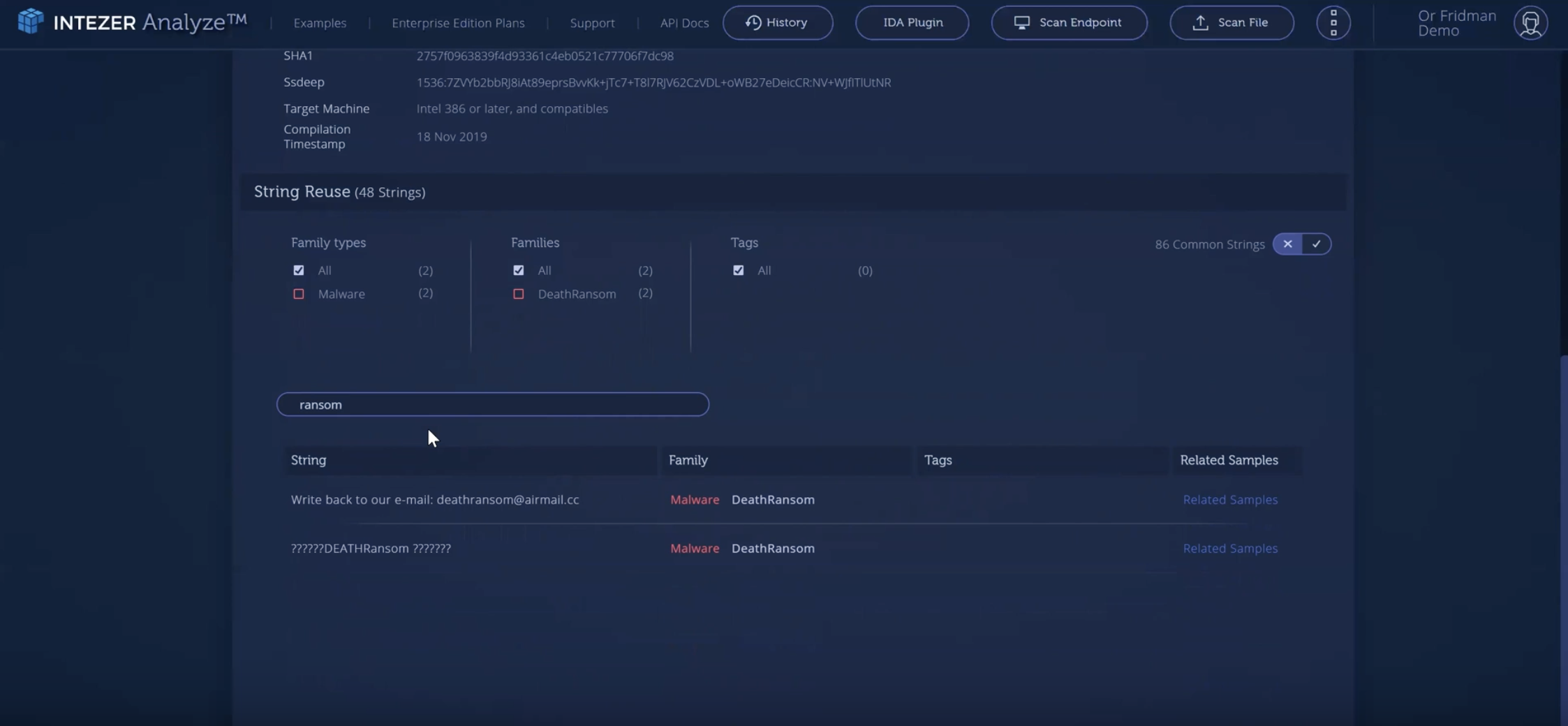
In Intezer Analyze, you can now search for specific text instead of having to review each string line by line. Try it now by searching for “ransom” in the below analysis of DeathRansom.
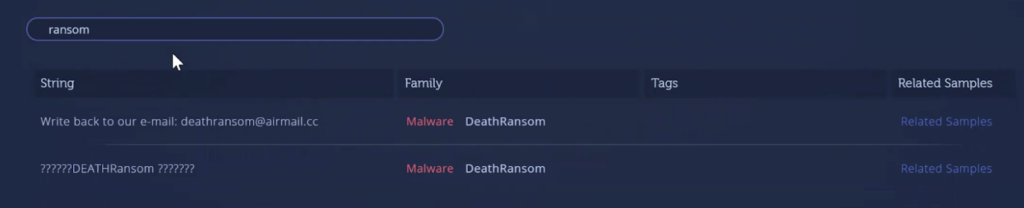
Two results show further indicating a ransomware attack. This information can be used to accelerate the investigation and allow more time for the organization to decide how they will respond to the attack.
Filter strings by tags and malware family
Filter strings by tags, such as path and network artifact. You can also filter between malware families that share strings (like Major Ransomware, DCRTR and DeathRansom in the below example).

Pivot between related samples
In addition to viewing related samples based on shared code, users can now pivot between malware samples that share strings. This can be used to broaden an investigation and gain additional intel about a potential incident or targeted attack against your organization. To view the related samples based on string reuse, just click on “related samples” on the far right.


Intezer Analyze is not only for experts
Do you have a suspicious file that requires investigation? Upload it to Intezer Analyze to find out if it contains malicious code. Try it now for free
Explore the Intezer Analyze endpoint analysis feature while working from home
Search for code similarities within every bit of executable code running in your device’s memory to detect malicious code injections, fileless malware and other threats. Try it now for free in the community edition.

Intezer
Count on Intezer AI SOC to triage, investigate and respond to every alert at unmatched speed and accuracy.
In this article
Share article
Related Articles
.svg)
AI SOC
The end of the SOC pyramid
AI is retiring the SOC pyramid. Learn how a tierless AI SOC investigates 100% of alerts with forensic evidence while your analysts supervise outcomes.
.svg)
Research
5 min
NinjaMare and the enterprise security epidemic hiding behind a harmless label
The PUA label, aka "potentially unwanted application" means nuisance. Adware, toolbars, and other things that change your settings without asking. Our research team's findings say this label is far more serious than a mere nuisance.
.svg)
Alert Triage
AI SOC
3 min
We let a fruit fly brain triage 12,716 real SOC Alerts. Here is what happened.
On behalf of people who run SOCs, we explore how a fly brain triages alerts compared with a boring linear model you could train in eleven seconds.