

TL;DR – You can now subscribe to threat actors/malware families in Intezer and receive notifications for new IoCs and detection opportunities.
Staying on top of emerging threats and keeping your detection rules on track is challenging. To keep track, security teams have to continuously go over different reports, from different sources, for various threats. On top of that, these reports usually provide low-pyramid IoCs (file hashes, IPs, and domains), leaving more effective and longer-lasting detection opportunities hidden.
To help you stay on top of emerging threats with the most updated detection rules, we have extended Intezer’s threat family tracking:
- Intezer’s Detect & Hunt feature is now available per threat family. While the Detect & Hunt tab has previously surfaced detection opportunities for a single file, now, it is possible to view aggregated IOCs/detection content for an entire threat actor or malware family. Detect & Hunt allows you to extract high-quality IoCs and detection content (to use in your SIEM or EDR), quickly and effectively. This saves you time and effort in "fishing" for relevant artifacts from overwhelming sandbox reports.
- Users can now track threats of interest and receive updates about new detection opportunities.
On Intezer’s family page, you can find all the detection opportunities extracted per family. This capability, combined with our API, allows you to identify up-to-date behavioral artifacts to create rules to proactively hunt for the existence of a threat within your organization and create updated detection rules. You can "subscribe" to a threat family to ensure you do not miss the latest detection opportunities.
Tracking Threat Families in Practice
Intezer tracks thousands of threat actors and malware families that you can get updates on now.
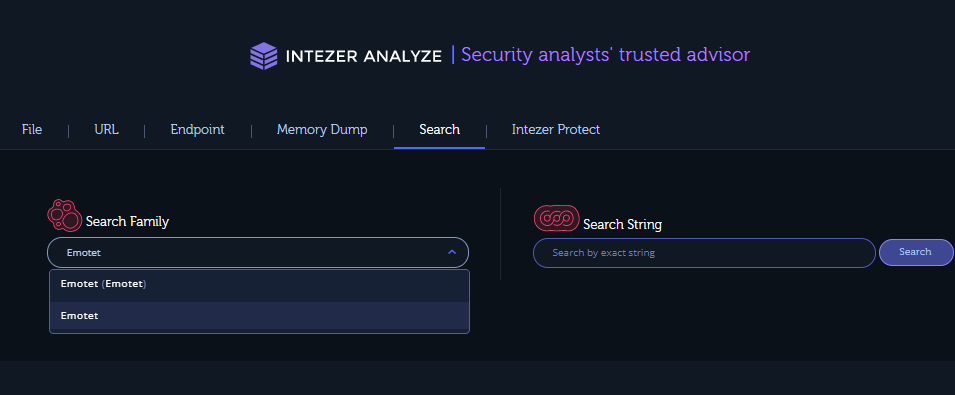
To get to the family page, search for a specific family or click on the family link from the analysis page. Let’s browse to the Emotet family page.
From family search:
From the analysis page:

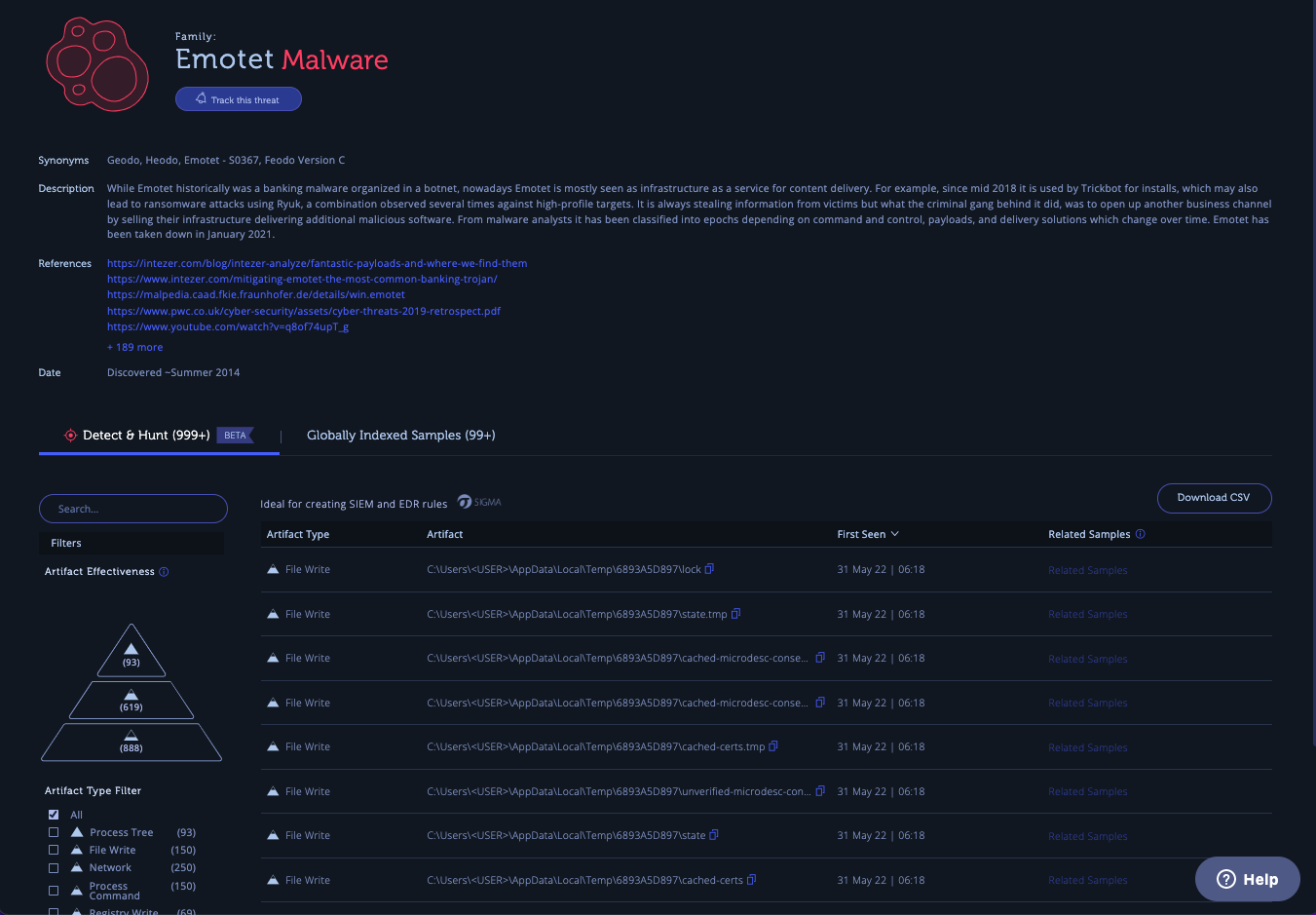
On the family page, you can find Detect & Hunt tab with the most updated detection opportunities for the family.
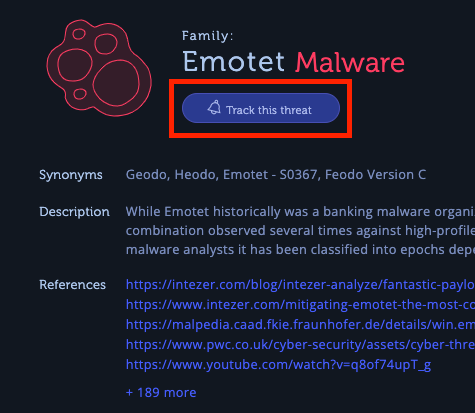
Track the threat to get updates and keep your detection content up-to-date.
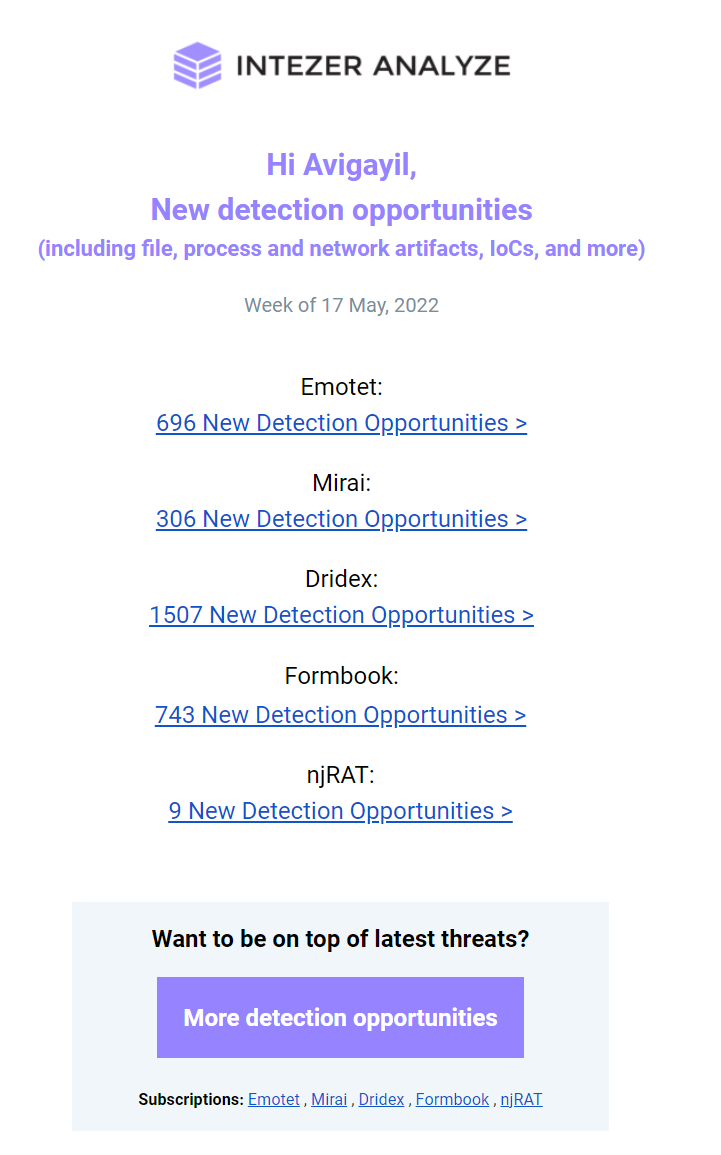
You will receive a weekly email notifying you about any new detection opportunities for threats you have subscribed to.
Creating Rules and Searches from Detection Opportunities
To accelerate the process of proactive and reactive threat hunting, you should make sure that you use high-quality detections and that you use automation where applicable. The detection opportunities Intezer provides are actionable and can be filtered based on an effectiveness pyramid that takes inspiration from the Pyramid of Pain. All data is available via API to build automation around it.
To learn how to convert detection opportunities to rules, check out our SOC Level Up series that covers techniques and knowledge for improving SOC skills.
Detect & Hunt and family tracking are available now for Intezer’s enterprise customers. Reach us to book a demo.

Intezer
Count on Intezer AI SOC to triage, investigate and respond to every alert at unmatched speed and accuracy.
In this article
Share article
Related Articles
.svg)
AI SOC
The end of the SOC pyramid
AI is retiring the SOC pyramid. Learn how a tierless AI SOC investigates 100% of alerts with forensic evidence while your analysts supervise outcomes.
.svg)
Research
5 min
NinjaMare and the enterprise security epidemic hiding behind a harmless label
The PUA label, aka "potentially unwanted application" means nuisance. Adware, toolbars, and other things that change your settings without asking. Our research team's findings say this label is far more serious than a mere nuisance.
.svg)
Alert Triage
AI SOC
3 min
We let a fruit fly brain triage 12,716 real SOC Alerts. Here is what happened.
On behalf of people who run SOCs, we explore how a fly brain triages alerts compared with a boring linear model you could train in eleven seconds.