
We are happy to introduce the Intezer Analyze plugin for Maltego. Combine insights from our malware analysis platform with Maltego’s graphical tool (And you know we love graphs).
Maltego is a graphical intelligence tool based on open-source intelligence and forensics data. It enriches data by making connections between different entities such as files, network, accounts and more. Data linking is done by using ‘Transforms.’ Transforms are pieces of code that take an entity as an input and provide related information as an output. For example, a transform that connects a URL (input) with an IP address (output).
On Maltego’s Transform Hub you can find the plugins of many different intelligence and analysis vendors, now including Intezer!
Intezer Analyze Plugin
Intezer Analyze is a complete malware analysis tool. Gain immediate context about any malware-related artifact, including: verdict, malware family, related samples, TTPs, network IoCs and more.
The plugin can be found under the Transforms Hub.

The following transforms are available in the plugin:
| Transform Name | Input Entity | Description |
| To Dropped File Hashes [Intezer] | maltego.Hash | This transform gets files dropped by the input entity. |
| To Malware Family [Intezer] | maltego.Hash | This transform gets the file’s malware family name. |
| To Tags [Intezer] | maltego.Hash | This transform gets the file’s technical characteristics (tags). |
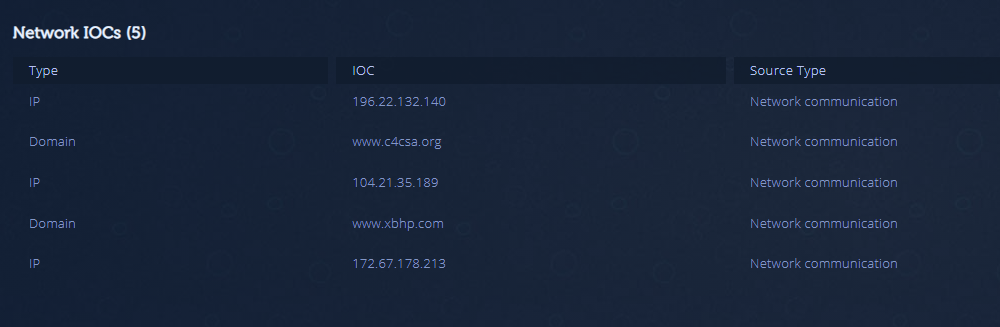
| To IoCs [Intezer] | maltego.Hash | This transform gets the file's network IoCs. |
| To Related File Hashes [Intezer] | maltego.Hash | This transform gets files that share the same code with the input entity. |
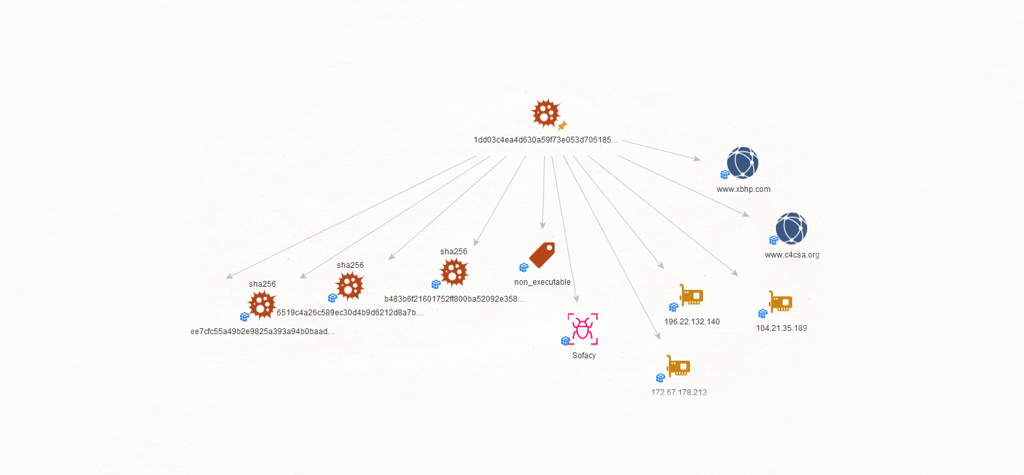
Take a look at the analysis of Sofacy in Intezer Analyze. You are provided with immediate malware classification, network IoCs, tags and dropped executables for the sample. This information is useful for researchers, IR, SOC and threat intelligence teams, and doesn’t require sifting through long, complicated sandbox reports to get the bottom line.

The graph below shows the output after running all of Intezer’s transforms on this file.
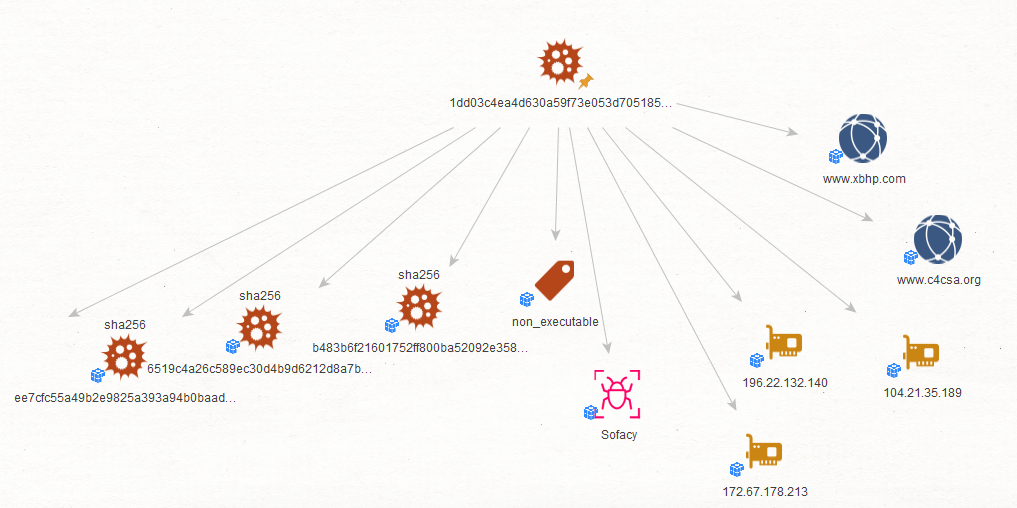
Key components from Intezer Anlyze’s GUI provided by the plugin include network IoCs, classification, tag, other files that share code, and the dropped executable.
All You Need is an API Key
Start using the plugin with your Intezer Analyze API key. To get an API key, sign up for free.
Next, register to Maltego and download their software.
If you do not have an API key you will be able to run up to 15 transforms.
Go ahead and give the plugin a spin!
Intezer Analyze users can start by analyzing and classifying 50 files per month.

Intezer
Count on Intezer AI SOC to triage, investigate and respond to every alert at unmatched speed and accuracy.
In this article
Share article
Related Articles
.svg)
AI SOC
The end of the SOC pyramid
AI is retiring the SOC pyramid. Learn how a tierless AI SOC investigates 100% of alerts with forensic evidence while your analysts supervise outcomes.
.svg)
Research
5 min
NinjaMare and the enterprise security epidemic hiding behind a harmless label
The PUA label, aka "potentially unwanted application" means nuisance. Adware, toolbars, and other things that change your settings without asking. Our research team's findings say this label is far more serious than a mere nuisance.
.svg)
Alert Triage
AI SOC
3 min
We let a fruit fly brain triage 12,716 real SOC Alerts. Here is what happened.
On behalf of people who run SOCs, we explore how a fly brain triages alerts compared with a boring linear model you could train in eleven seconds.