
Intezer already investigates 100% of your alerts and escalates fewer than 2% of them for human review. That part is handled.
The work does not stop there, though. Every SOC has its own routines wrapped around the investigation itself. The incident reports written in a particular format, the closure notes, the shift handoffs, the rules that decide who picks up which case. When we looked at how teams actually use AI Chat, our in-product investigation agent, more than a third of those conversations turned out to be the same repetitive tasks asked again and again. The same summaries. The same reports. The same closure notes.
Intezer’s AI SOC already runs agents around the clock to triage, investigate, and respond to your alerts on their own. Custom Agents is the next step. Now you can shape how that AI SOC works for your team. Add your own agents and automations on top of the ones Intezer runs out of the box, take more of the manual work off your analysts, and tailor the whole thing to the way your team actually operates.
Meet Custom Agents
Intezer ships with a set of agents and automations that handle triage, investigation, and response from day one. Custom Agents lets you build your own on top of them.
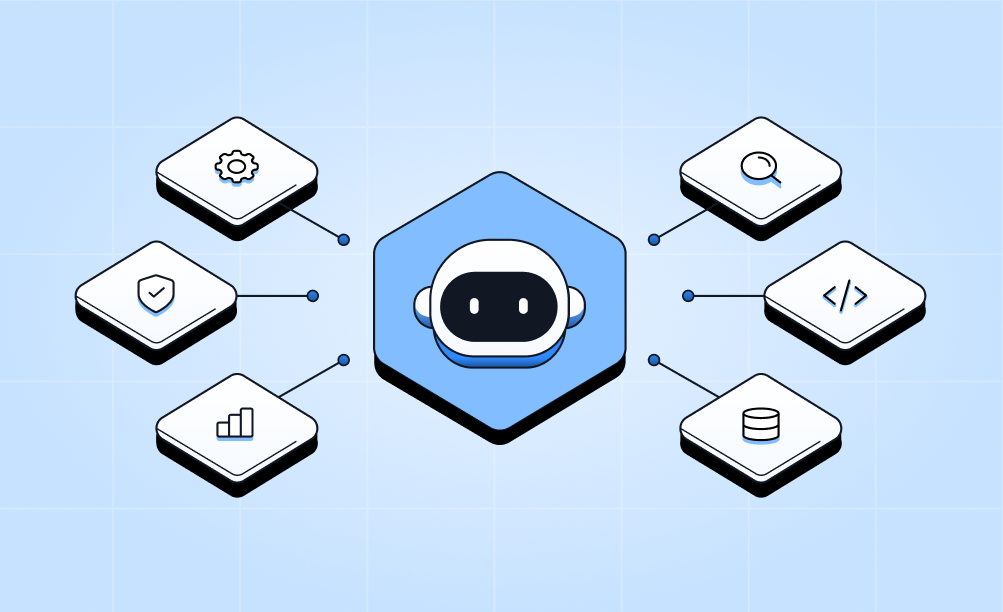
An agent is made up of three components:
- Your instructions
- A trigger
- The tools it is allowed to use
You describe what you want done in plain language, choose when it should run, and pick what it can touch. It then runs on its own inside your Intezer environment, on the same engine that powers our investigation Agent (Chat).
Build an agent in minutes
1. Tell it what to do, in plain language. Write the instructions the way you would brief a new analyst. “Every morning, review the open case queue, close the clear false positives per our playbook, and leave a handoff note on the rest.” That is an agent.
2. Choose when it runs. Three trigger types cover most workflows:
- On a schedule: every day, week, or month. For example, a 9:00 report.
- On an event: the moment a case is closed, a verdict is set, or an alert meets your conditions.
- On demand: run it yourself, or call it from the API.
3. Give it the right tools. Agents work across your whole stack which includes Intezer’s built-in toolset plus the SIEM, EDR, and identity tools you have already connected, including CrowdStrike, SentinelOne, Splunk, Microsoft Sentinel, and Entra ID. They do more than summarize. They take action by updating, commenting on, closing cases, and emailing a finished report to your team.
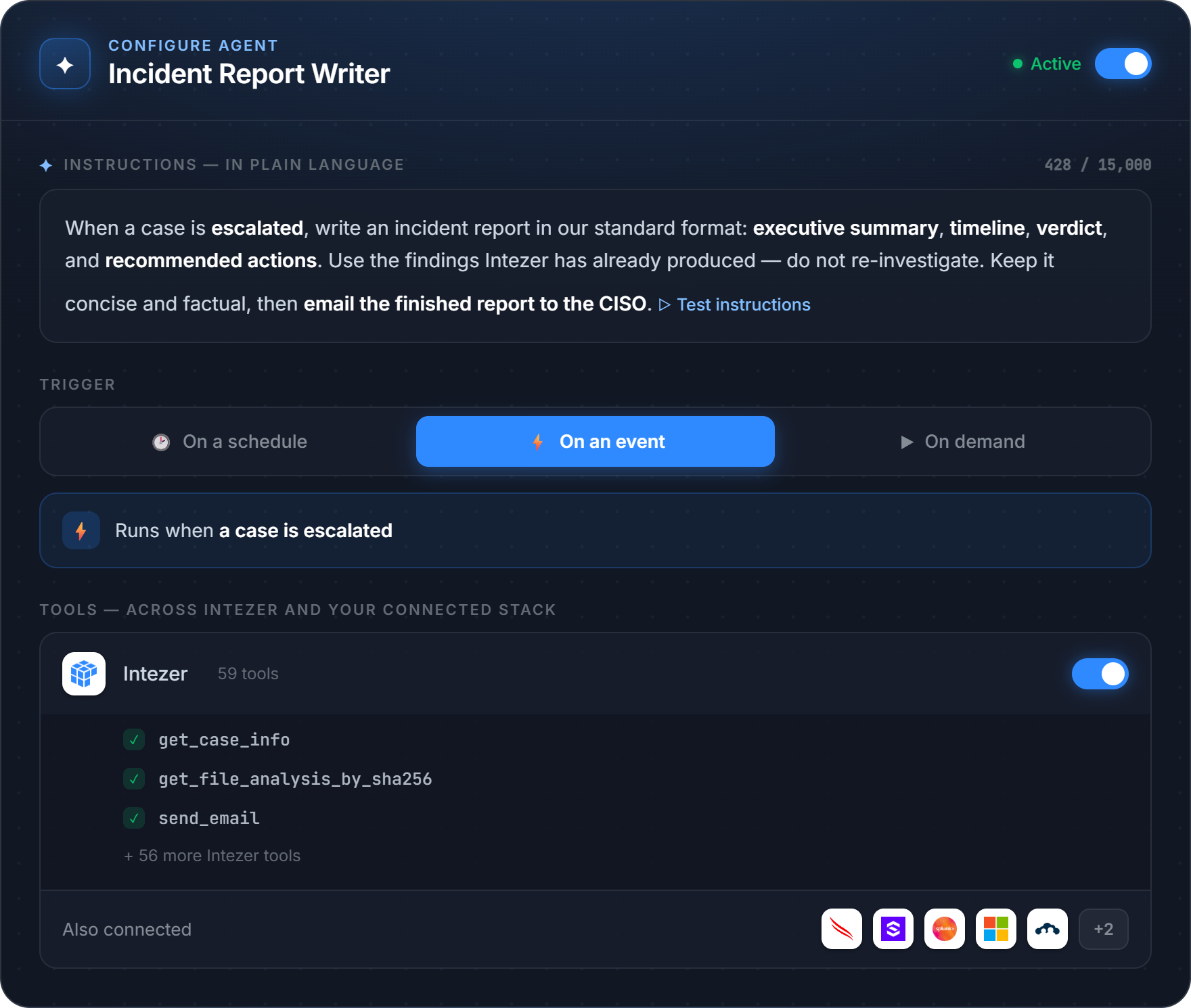
See it in action
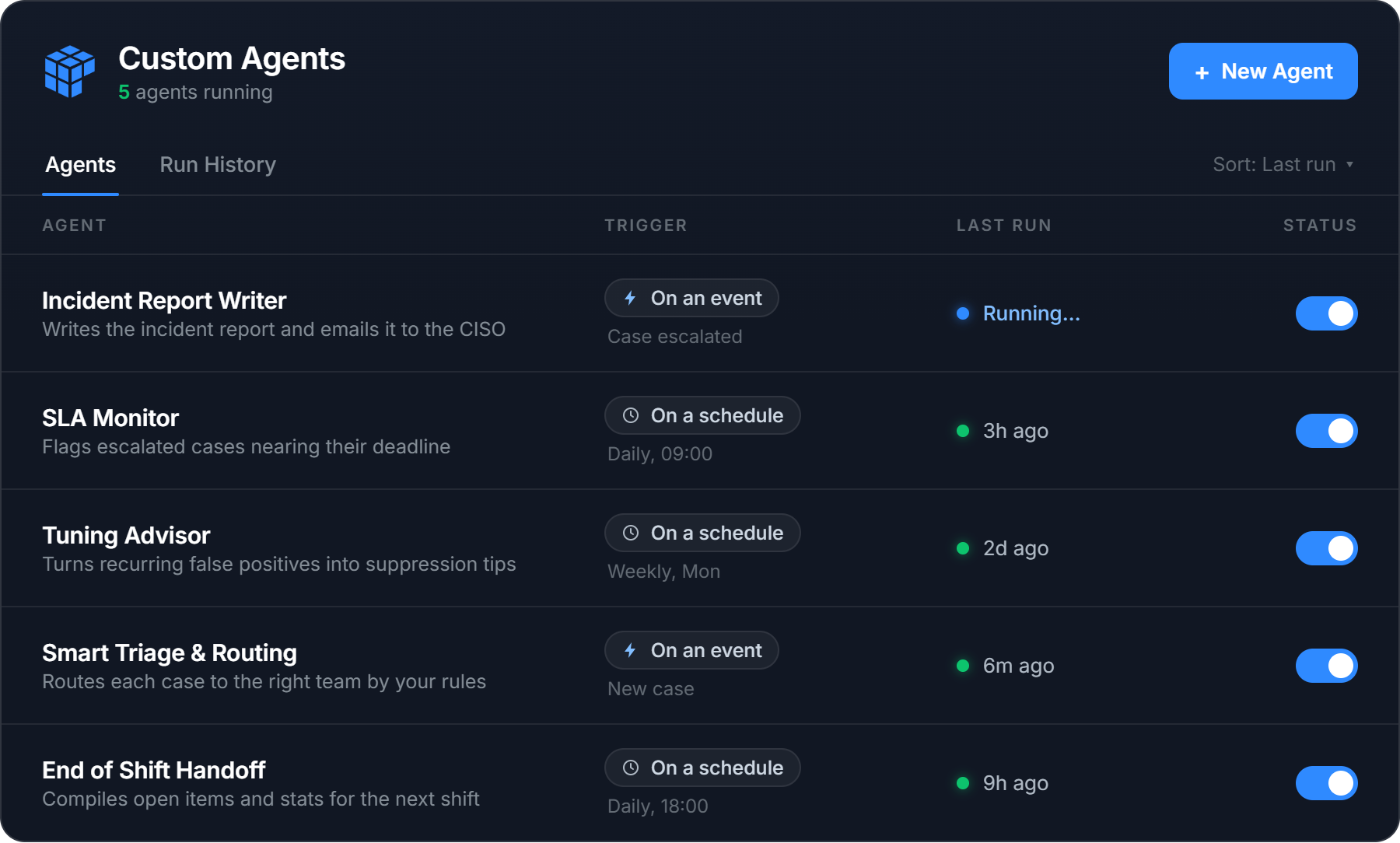
Take an Incident Report Writer agent illustrated above. We deliberately never shipped a single “Generate report” button, because no two teams want the same report. One team wants an executive summary up top, another wants the full timeline, another has a compliance format it has to match. So instead of a button, you put your format into the agent’s instructions, and it writes every report that way, every time.
The agent triggers on every escalated case an analyst has confirmed as a real threat. It reads the case, writes the report in your format, and emails it to your team’s inbox. The analyst makes the call. The paperwork writes itself.
That’s one agent. The point of Custom Agents is that you decide what they are.
Nothing runs blind
Security teams do not trust black boxes, and they are right not to. Custom Agents is built so you can see and control everything an agent does.
- Every run is visible. You see the agent’s reasoning, every tool call and its result, and the final output. Each run is logged, and you can export it.
- Test safely with Dry Run. Dry Run executes the agent for real but mocks every write action, so you can watch exactly what it would do before it does anything. Iterate on the instructions until it is right, then turn it on.
- Guardrails are built in. Action tools are limited by design. An agent can only email active members of your organization, for example. It cannot reach outside your walls.
- You stay in control. You choose which tools an agent gets, you review its output, and you can switch it off in one click.
This is how everything at Intezer works. AI executes, humans supervise. Custom Agents lets you decide what it executes.
What security teams are already building with it
We opened Custom Agents to a small group of alpha customers, and the best part has been watching what they build. Alongside the Incident Report Writer above, a few of the agents already running in production:
- SLA Monitor (daily): a morning email listing every escalated case that has been sitting too long, so nothing critical slips past its deadline.
- Tuning Advisor (weekly): takes the alerts your detection tools fired that Intezer judged to be false positives and turns them into suppression recommendations for the week ahead.
- Threat Hunter (weekly): proactively sweeps your environment for the latest threats instead of waiting for an alert to fire. It pulls the new malware families, campaigns, and indicators Intezer is tracking, queries your connected SIEM and EDR for matches across historical data, and opens a case for anything it surfaces.
- Smart Triage and Routing: for organizations with multiple entities, subsidiaries, and stakeholders, the agent reads each case and works out which team should own it, using your own escalation rules. It either leaves a comment with the routing, or assigns the case to the right analyst directly. Analysts stop digging through a separate list or knowledge base to figure out where a case goes.
- End of Shift Handoff: built to match what a real SOC handover looks like. At the end of a shift the agent compiles the open items, the escalations still waiting for attention, the shift’s statistics, and any open system events or configuration issues, then writes the handoff so the next shift starts with the full picture.
The AI SOC, built for your team
We are on a mission to build the AI SOC the industry has been promised but never delivered. One that does the work and earns the trust to do it. It runs autonomously, around the clock. It works alongside the people who supervise it, not over their heads. And it is never a black box. You can always open it up, question what it did, and change how it behaves.
Custom Agents is central to that vision. Triage, investigation, and response come built in. Everything particular to how your team operates, you build yourself. Because the strongest security teams have always run on their own playbooks, their own logic, and their own standards, and an AI SOC should be no different. It should not ship the same to everyone. No two SOCs are the same, and no two should be.
That is the point of Custom Agents. You decide what they are.
Available now
Custom Agents is available now in beta to Intezer customers, and it is free during the beta period. This is the moment to build, test, and tell us what you want it to do next.
See what your SOC could hand off. Book a demo.
If you are already an Intezer customer, you will find it under Custom Agents in the top menu.