
Security Automation Tools
In this article

TL;DR: Security automation tools ingest alerts, gather evidence, and trigger responses with minimal manual work. Intezer AI SOC is best for forensic investigation of every alert, Splunk Enterprise Security for unified SIEM and SOAR, Tines for custom workflows, and CrowdStrike Falcon Insight XDR for endpoint response.
What Are Security Automation Tools?
Security automation tools use software and artificial intelligence to detect, investigate, and respond to cyber threats with minimal human intervention. They collect data from systems such as endpoints, networks, cloud services, and identity platforms, then use predefined rules or workflows to identify threats and trigger appropriate actions. Common tasks include analyzing alerts, enriching threat data, isolating compromised devices, blocking malicious IP addresses, and creating incident tickets.
Core categories of security automation tools:
- AI SOC and autonomous SOC platforms: Use AI agents or models to investigate alerts, collect and correlate evidence, assess risk, and recommend or execute response actions.
- SIEM automation tools: Centralize security logs and automate event correlation, detection, enrichment, risk scoring, and alert generation.
- SOAR platforms: Coordinate investigation and response workflows across multiple security products using integrations and automated playbooks.
- Endpoint security automation: Automates endpoint investigation and containment actions such as process termination, file quarantine, device isolation, and forensic collection.
- Patch and vulnerability management: Automates vulnerability discovery, prioritization, patch deployment, remediation verification, and identification of failed updates.
This is part of a series of articles about SOC automation
Security Automation Tools at a Glance
The table below summarizes the key differences between the security automation tools covered in this guide. We explore each tool in more detail in the sections that follow.
| Category | Solution | Best For | Key Strengths | Things to Consider |
|---|---|---|---|---|
| AI SOC Platforms | Intezer AI SOC | Investigating every alert with forensic depth | Forensic analysis, detection tuning, automated response | Evidence collection depends on connected tools |
| AI SOC Platforms | Dropzone AI | AI agents for alert investigation and hunting | API-based queries across 90+ tools | Threat intel agent not yet available |
| AI SOC Platforms | Prophet Security | AI triage, hunting, and detection tuning | Multi-agent platform with optional human review | Quote-based pricing |
| SIEM Platforms | Splunk Enterprise Security | Consolidating SIEM, SOAR, and UEBA | Risk-based alerting, Detection Studio | SOAR and UEBA only in Premier edition |
| SIEM Platforms | Microsoft Sentinel | Microsoft-centric cloud SIEM | Built-in SOAR, UEBA, data lake | Cost tied to ingested and retained data |
| SIEM Platforms | Google Security Operations | Long retention with SIEM and SOAR | Curated detections, 300+ SOAR integrations | YARA-L learning curve |
| SOAR and Workflow Automation | Cortex AgentiX | Governed AI agents in playbooks | 1,100+ integrations, MCP, approval controls | Playbook tuning needs dedicated staff |
| SOAR and Workflow Automation | Tines | Custom workflows and AI agents | Any-API connectivity, no-code builder | Large workflows hard to debug |
| SOAR and Workflow Automation | Torq AI SOC Platform | Agentic triage plus hyperautomation | AI triage, case management, autonomous response | Learning curve for advanced workflows |
| Endpoint Security Automation | CrowdStrike Falcon Insight XDR | Single-agent EDR and XDR response | Real Time Response, Falcon Fusion SOAR | Modules add to total cost |
| Endpoint Security Automation | SentinelOne Singularity Endpoint | Autonomous endpoint response, including offline | Behavioral AI, one-click rollback | Limited dashboard customization |
| Endpoint Security Automation | Microsoft Defender for Endpoint | Microsoft 365 environments | Automatic attack disruption | Features depend on licensing tier |
Why Are Security Automation Tools Important?
Reduce Manual SOC Work
SOC analysts often perform the same steps for many alerts. They may need to look up an IP address, check endpoint activity, review authentication logs, query threat intelligence sources, and collect related events before deciding whether an alert is malicious.
Automationcan perform these steps as soon as an alert is generated. It can query connected systems, enrich indicators, correlate related activity, and assemble the results for the analyst. Some tools can also perform routine response actions, such as disabling an account or isolating an endpoint when predefined conditions are met.
Reducing these manual tasks gives analysts more time for threat hunting, complex investigations, detection engineering, and other work that is harder to automate. It can also shorten the time between detecting suspicious activity and taking action.
Related content: Read our article about SOC automation tools and top platforms
Investigate More Alerts Without Increasing Headcount
Alert volumes can increase as organizations add users, endpoints, cloud services, and security controls. Hiring additional analysts for every increase in workload is often impractical, particularly when much of the additional work consists of repetitive alert triage.
Security automationhelps teams scale by performing initial investigation steps across many alerts simultaneously. For example, a workflow can validate indicators, gather asset and user context, identify related alerts, calculate risk, and close events that meet well-defined false-positive criteria.
Analysts can then focus on alerts that remain suspicious after automated triage. This increases the number of alerts a team can investigate without requiring staffing levels to grow at the same rate as alert volume.
Improve Consistency Across Investigations
Manual investigations can produce different results depending on the analyst handling the alert. Analysts may use different data sources, perform checks in a different order, or miss a step when workloads are high. These differences can make investigations harder to reproduce and audit.
Automated workflows standardize repeatable parts of an investigation. The same alert type can trigger the same enrichment queries, validation checks, escalation criteria, and response steps each time. This creates a more predictable process and reduces dependence on individual analyst habits.
Consistency also makes security processes easier to measure and improve. Teams can review workflow results, identify steps that generate poor outcomes, and update the underlying logic so the change applies to future investigations.
How Do Security Automation Tools Work?
1. Ingest Alerts From Security Tools
Security automation starts by ingesting alerts from the tools already monitoring the environment. Common sources include:
- Security information and event management (SIEM) platforms
- Endpoint detection and response (EDR) tools
- Firewalls
- Intrusion detection systems
- Identity platforms
- Email security products
- Cloud security services
Because each product structures its alerts differently, the automation platform may normalize incoming data into a common format. It can extract fields such as usernames, IP addresses, hostnames, file hashes, URLs, timestamps, and alert severity. Normalization makes it possible to apply the same workflow to alerts from different sources. The platform can also use alert attributes to determine which investigation workflow should run next.
2. Collect and Enrich Relevant Evidence
A security alert usually provides only a small part of the information required for an investigation. Automation tools enrich the alert by querying connected systems for additional information about the users, devices, files, domains, and IP addresses involved. For example, an alert containing a suspicious file hash can trigger queries to:
- Threat intelligence services
- Endpoint telemetry
- Malware databases
- Previous incidents
An identity alert might trigger checks of login history, device information, user privileges, geolocation, and recent account activity. The platform can attach this evidence directly to the alert or incident record. Analysts therefore receive relevant context without manually switching between tools and running each query themselves.
3. Correlate Data Across Security Sources
Individual security products often detect only one part of an attack. Security automation tools can correlate evidence from multiple systems to determine whether separate events are connected.
For example, an identity platform might report an unusual login, an EDR tool might detect suspicious PowerShell activity on the same user's device, and a firewall might record connections to a malicious domain. Correlating these events can reveal a more serious incident than any single alert would indicate.
Correlation can use:
- Shared users
- Endpoints
- IP addresses
- Indicators
- Timestamps
- Other relationships
It can also identify previous alerts involving the same entities, helping investigators understand whether suspicious activity is isolated or part of a larger attack.
4. Analyze and Prioritize Potential Threats
After gathering and correlating evidence, the platform evaluates the potential threat. Analysis can use one or several techniques together, including:
- Predefined rules
- Risk-scoring models
- Behavioral baselines
- Threat intelligence
- Machine learning
A risk score might increase when an alert involves a privileged account, critical server, known malicious IP address, or behavior associated with a common attack technique. Conversely, known legitimate activity or trusted infrastructure might reduce the score.
This analysis helps determine which alerts require immediate attention. Instead of relying only on the severity assigned by the original security product, teams can prioritize incidents using additional context from across the environment.
5. Determine Whether an Alert Is Benign or Malicious
The automation platform uses the collected evidence to determine whether an alert matches defined criteria for benign or malicious activity. Straightforward cases can often be resolved automatically, while uncertain cases remain open for further investigation.
For example, an alert may be classified as benign if the activity came from an approved vulnerability scanner and matches an authorized scan window. A file execution alert may be classified as malicious if the file has a known malicious hash and is followed by suspicious network activity.
Automated classification should generally depend on sufficient evidence rather than a single weak indicator. Organizations can define confidence thresholds that determine when the platform can:
- Close an alert
- Initiate a response
- Require analyst validation
6. Trigger Response or Remediation Actions
When an investigation identifies malicious activity with sufficient confidence, the automation platform can initiate response actions through integrations with other security and IT systems. This reduces the delay between detection and containment. Possible actions include:
- Isolating an endpoint
- Disabling a compromised account
- Revoking active sessions
- Blocking an IP address or domain
- Quarantining a file
- Removing phishing emails
- Adding an indicator to a blocklist
The workflow can also open tickets or notify relevant teams. Not every response should be fully automated. Actions that could disrupt business operations, such as disabling an important service account or isolating a production server, can require analyst approval before execution.
7. Escalate Incidents That Require Human Review
Some alerts cannot be reliably resolved using predefined logic. Incidents involving unclear intent, conflicting evidence, critical assets, or potentially widespread compromise often require an experienced analyst to make the final decision. When escalation is necessary, the automation platform can package the information collected during earlier stages. This may include:
- Related alerts
- Affected assets
- User activity
- Threat intelligence results
- Timelines
- Risk scores
- Actions already performed
The analyst can begin with this evidence instead of repeating the initial investigation. This creates a division of work in which automation handles predictable data gathering and triage, while analysts focus on decisions that require context, judgment, and deeper analysis.
Types of Security Automation Tools
AI SOC and Autonomous SOC Platforms
AI SOC and autonomous SOC platforms automate a large portion of the alert investigation process. They can:
- Ingest alerts
- Gather evidence from connected security tools
- Correlate activity
- Assess risk
- Produce investigation findings with limited analyst involvement
These platforms may use AI agents or models to determine which queries and investigation steps to perform based on the alert. This differs from traditional automation that follows only fixed playbooks. For example, the platform might investigate a suspicious login by checking authentication history, endpoint activity, user privileges, and related network events.
More advanced platforms can also recommend or execute response actions and document their findings. Human analysts typically remain involved for ambiguous cases, high-impact remediation, and decisions where business context is required.
SIEM Automation Tools
Security information and event management (SIEM) tools collect and analyze logs and security events from across an organization's environment. Their automation capabilities commonly include:
- Event correlation
- Detection rules
- Alert generation
- Risk scoring
- Automated enrichment
For example, a SIEM can correlate repeated authentication failures with a successful login from an unusual location. It can then enrich the resulting alert with information about the user, device, and source IP address before sending it for investigation.
Modern SIEM platforms can also trigger workflows in external systems through APIs and integrations. However, their primary role remains centralized security monitoring, detection, and analysis rather than end-to-end remediation.
SOAR Platforms
Security orchestration, automation, and response (SOAR) platforms coordinate workflows across multiple security products. They use integrations and playbooks to turn a series of manual investigation or response steps into a repeatable automated process.
A phishing playbook, for example, could extract URLs and attachments from a reported email, check them against threat intelligence services, search for similar messages in other mailboxes, and create an incident. If malicious activity is confirmed, the workflow could quarantine the messages and block identified indicators.
SOAR platforms are particularly useful when a process requires actions across several tools. Their effectiveness depends on well-designed playbooks, reliable integrations, and clearly defined conditions for automated actions.
Endpoint Security Automation
Endpoint security automation operates on workstations, servers, and other managed devices. It is commonly built into endpoint detection and response (EDR) and extended detection and response (XDR) products. Automated actions can include:
- Killing malicious processes
- Quarantining files
- Isolating a device from the network
- Collecting forensic information
- Blocking known indicators
These actions allow organizations to contain endpoint threats quickly before an attacker can move to other systems. Endpoint automation can be triggered by local detections or by workflows in SIEM, SOAR, and other security platforms. High-impact actions, such as isolating production systems, can be configured to require analyst approval.
Patch and Vulnerability Management
Patch and vulnerability management tools automate the process of finding security weaknesses and reducing the organization's exposure to them. They can:
- Continuously scan systems
- Identify missing patches or vulnerable software
- Prioritize remediation based on severity and asset context.
Automation can also distribute patches, schedule updates, verify successful installation, and identify systems where remediation failed. Some platforms prioritize vulnerabilities using factors such as exploit availability, internet exposure, asset importance, and evidence of active exploitation rather than relying only on vulnerability severity scores.
These tools address threats before they become active security incidents. Automated patching can shorten the period during which known vulnerabilities remain exploitable, although critical systems often require testing and controlled deployment before updates are applied in production.
Notable Security Automation Tools
How we selected these tools: We shortlisted security automation tools based on their ability to ingest and investigate alerts, enrich and correlate evidence, orchestrate response actions across security tools, and reduce manual SOC work.
AI SOC Platforms
1. Intezer AI SOC

Best for: Enterprise SOCs automating triage and investigation of every alert
Strengths: Forensic analysis, auto-tuned detections, automated response
Things to consider: Relies on integrations with existing tools to collect evidence
Intezer AI SOC is a platform that triages, investigates, and responds to alerts from endpoint, SIEM, identity, cloud, and reported phishing sources. It combines forensic capabilities, including endpoint analysis, memory scanning, reverse engineering, and built-in threat intelligence, with multiple AI models to reach an evidence-based verdict on each alert, including low-severity alerts.
False positives are closed automatically, while real threats are escalated with a remediation plan or handled through automated response. Investigation outcomes are fed back into detection engineering to tune rules at the source and track coverage against MITRE ATT&CK. Pricing is endpoint-based rather than tied to alert volume.
Key features include:
- Forensic alert investigation: Investigates every alert using endpoint analysis, memory scanning, reverse engineering, and built-in threat intelligence, combined with multiple AI models, to determine what happened.
- Automated triage: Closes false positives automatically and escalates real threats for human review or automated remediation, with sub-minute triage.
- Detection engineering: Uses triage results to tune noisy or broken detection rules at the source and tracks detection coverage against the MITRE ATT&CK framework.
- Customizable triage logic: Analysts can challenge any verdict in the platform, and feedback is used to adjust AI triage logic and detection rules to the environment.
- Automated response: Escalated incidents include a tailored remediation plan. Actions such as disabling users, isolating devices or any other remediation can run automatically with Intezer Workflows (without any need for an external SOAR) or be reviewed by analysts.
- Integrations: Connects to more than 100 security products so alerts across the existing stack can be triaged and investigated.
- On-demand experts: Intezer security experts are available for complex incidents and for customizing triage logic and detection rules.
Intezer is highly rated on Gartner Peer Insights. See what users have to say.
Limitations:
- Requires mature telemetry to work. Investigation quality depends on the customer’s existing EDR/SIEM health. Organizations with immature tooling won’t get full value out of the box.
- MITRE ATT&CK coverage has a realistic ceiling with Intezer benchmarking 60–70% as “top-tier” and flags anything higher as likely inflated. Some technique categories remain outside reliable coverage for any vendor.
- Focused on enterprise-size customers with a minimum of 1,000 employees.
2. Dropzone AI

Best for: Teams adding AI agents for alert investigation and threat hunting
Strengths: Queries 90+ tools via API without data normalization
Things to consider: Threat intel agent is listed as coming in fall 2026
Dropzone AI provides AI SOC agents that investigate alerts and hunt for threats across an organization's existing security tools. The AI SOC Analyst investigates alerts end to end across phishing, endpoint, network, cloud, identity, and insider threat alert types, and shows the evidence and reasoning behind each verdict so analysts can decide what to act on.
The AI Threat Hunter runs hypothesis-driven hunts across SIEM, EDR, and cloud data. Dropzone queries connected tools through their APIs, so data does not need to be moved or normalized first. Investigations run in software operated by the customer's team, and teams set the strategies the agents follow.
Key features include:
- AI SOC Analyst: Investigates alerts end to end across the connected tool stack, 24/7, and presents the evidence behind each verdict.
- AI Threat Hunter: Runs hypothesis-driven hunts across SIEM, EDR, and cloud environments on a recurring basis.
- Broad alert coverage: Supports phishing, endpoint, network, cloud, identity, and insider threat alert types.
- API-based integrations: Connects to more than 90 tools across SIEM, EDR, cloud, identity, email, and SOAR, querying them the way analysts do without data lift or normalization.
- Configurable strategies: Teams define what to prioritize, how to investigate, and what normal activity looks like in their environment.
- Deployment options: Offers EU data residency and a version for MSSPs managing multiple customers.
Limitations (based on publicly available sources):
- Pricing threshold: Published pricing starts at $36,000 per year and is tied to investigation volume, which may be high for smaller teams.
- Narrower core scope: The core product focuses on alert investigation and triage, and the threat intel analyst agent is not yet generally available.
- API access requirements: The platform requires API access into the existing security stack, which some organizations may need to review internally.
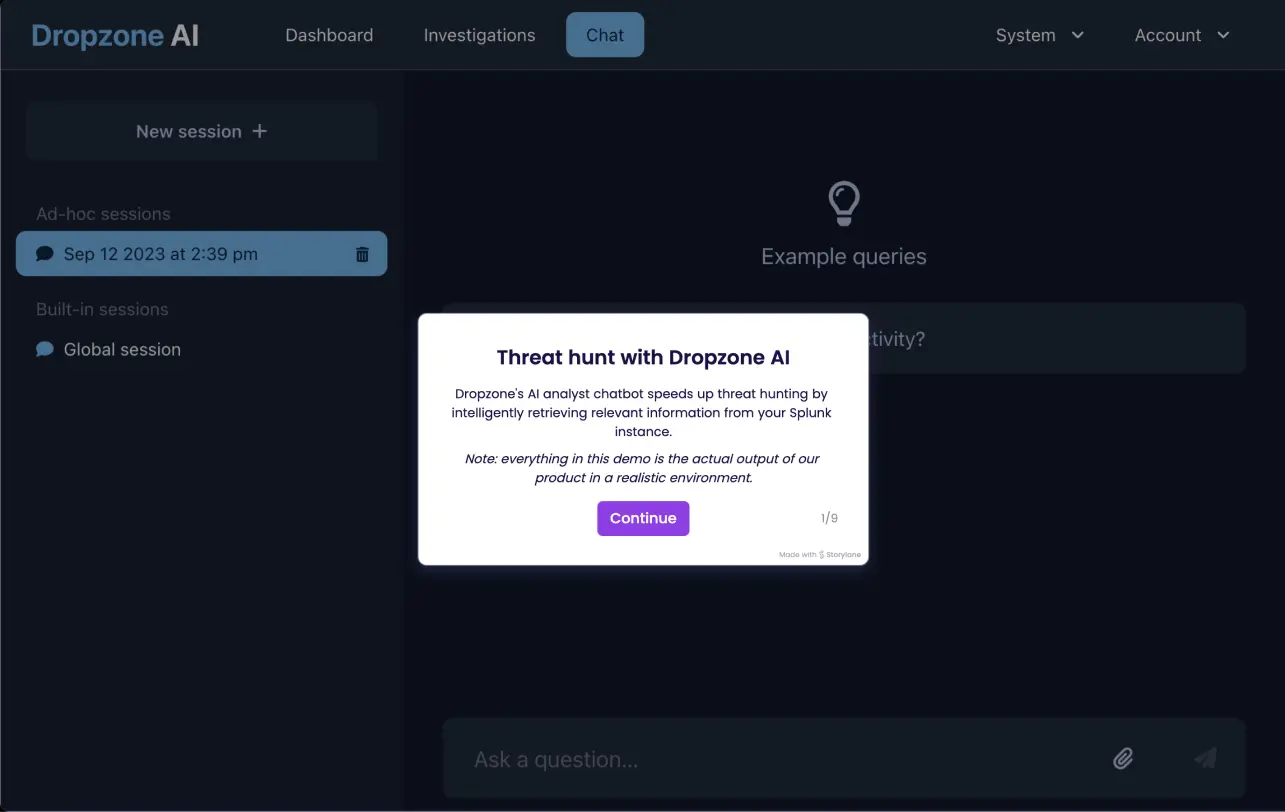
Source: Dropzone AI

3. Prophet Security

Best for: SOCs wanting AI triage, hunting, and detection tuning in one platform
Strengths: Multi-agent coverage with an optional human review service
Things to consider: Pricing is quote-based with no public price list
Prophet Security offers an agentic AI SOC platform made up of several AI agents that work together across alert investigation and response, threat hunting, and detection engineering. The AI SOC Analyst investigates every alert and produces determinations that can be audited, and it can respond through scoped Agent Actions, either autonomously or with analyst sign-off.
The AI Threat Hunter lets analysts ask questions of their environment in plain language and provides hunts for emerging threats. The AI Detection Engineer maps actual MITRE ATT&CK coverage based on past investigations. The platform deploys as a dedicated single tenant and connects to existing tools through more than 200 integrations.
Key features include:
- AI SOC Analyst: Investigates alerts with auditable determinations and executes scoped response actions autonomously or after approval.
- AI Threat Hunter: Accepts plain-language questions about the environment and supplies ready-to-run or scheduled hunts for emerging threats.
- AI Detection Engineer: Maps MITRE ATT&CK coverage from the organization's own investigations and produces tuned and new detections, backtested and ready for approval.
- Prophet AI Watchtower: Provides human experts 24x7x365 who review every malicious determination and send validated escalations.
- Context adaptation: Applies customer context and policies across the platform, with changes previewed and backtested before use.
- Enterprise deployment: Runs as a dedicated single tenant with a bring-your-own-key option and no training of AI models on personal data.
- Integrations: Connects to existing security tools through more than 200 out-of-the-box integrations across endpoint, email, identity, cloud, DLP, and network.
Limitations (based on publicly available sources):
- Conservative default posture: Autonomous closure of benign alerts is conservative by default, and extending it may require SOAR integrations.
- Quote-based pricing: There is no public self-serve price list, so costs require a demo and sales quote.
- Limited public compliance documentation: Public documentation for frameworks such as HIPAA and PCI is limited, so regulated buyers may need to request the vendor's security package.
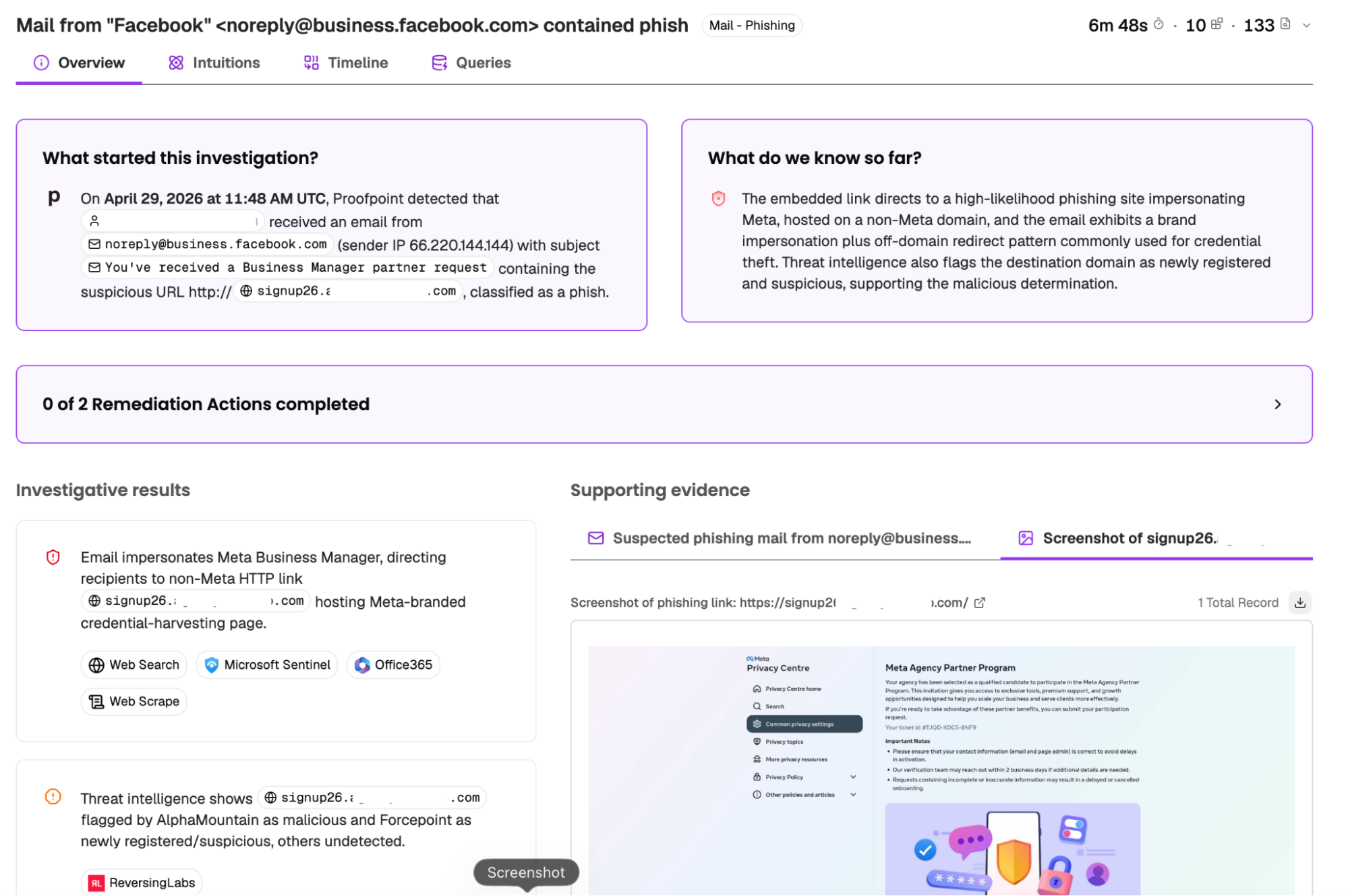
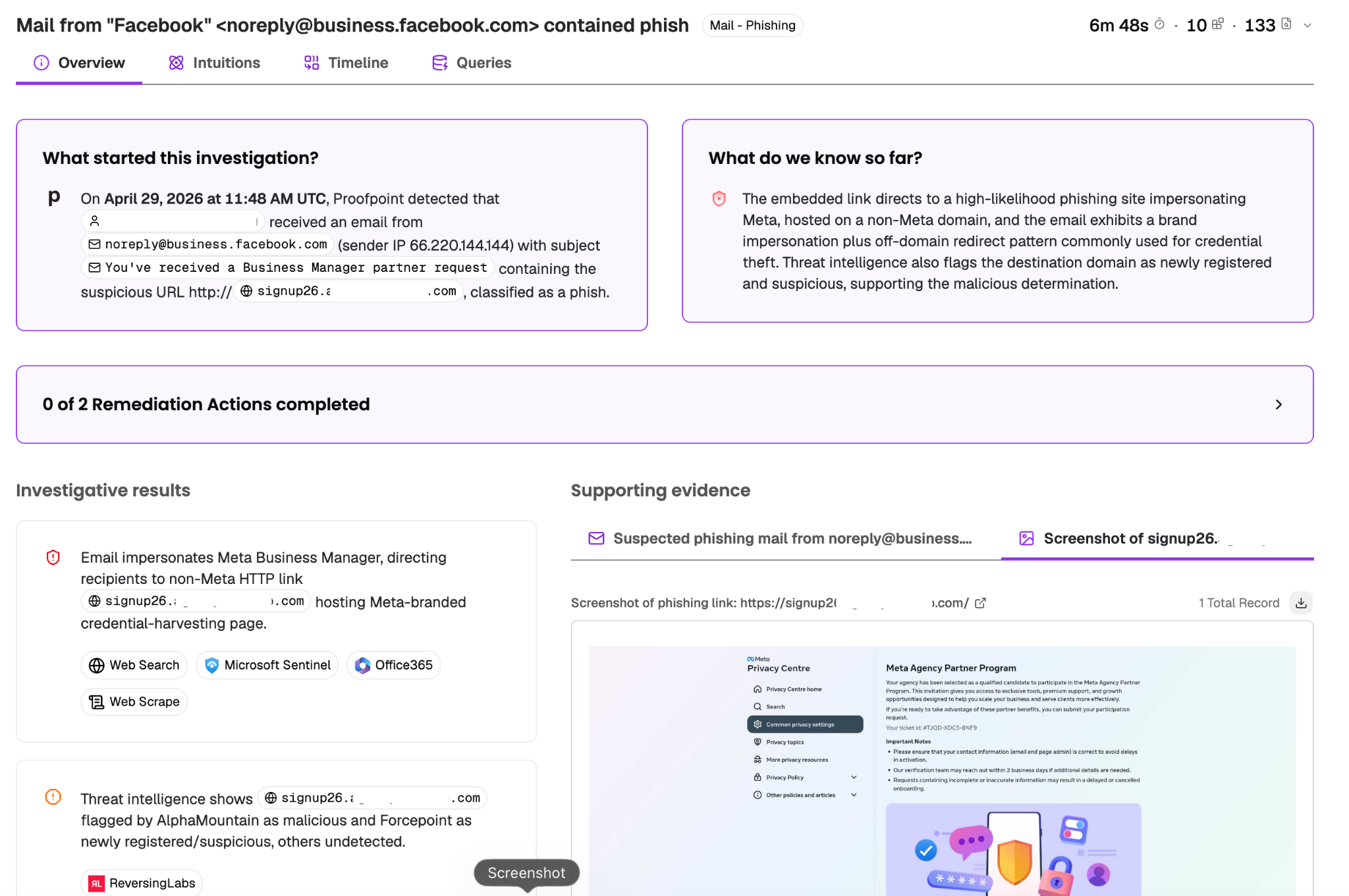
Source: Prophet Security
SIEM Platforms with Built-In Automation
4. Splunk Enterprise Security

Best for: Large SOCs consolidating SIEM, SOAR, and UEBA on one platform
Strengths: Risk-based alerting, Detection Studio, and integrated SOAR
Things to consider: SOAR and UEBA are included only in the Premier edition
Splunk Enterprise Security is a threat detection, investigation, and response (TDIR) platform that combines SIEM, SOAR, UEBA, and AI capabilities in one workspace. It ingests and searches data across domains, clouds, and devices, and uses risk-based alerting to group related signals into higher-fidelity alerts for analysts.
The platform is sold in two editions. Essentials includes the SIEM, the AI Assistant, and Detection Studio, while Premier adds SOAR, UEBA, and automated phishing analysis. Agentic AI features include a triaging agent that evaluates and prioritizes alerts and a malware reversing capability that breaks down malicious scripts and extracts indicators of compromise.
Key features include:
- Risk-based alerting: Correlates risk events into prioritized alerts to reduce alert volume and highlight the most important threats.
- Integrated SOAR: Automates TDIR workflows and contextual enrichment, with automation available to every SOC role in the Premier edition.
- UEBA: Uses machine learning to baseline user and entity behavior and detect deviations such as compromised credentials and lateral movement.
- AI Assistant and agents: Supports natural language queries, investigation summaries, automated reports, and building playbooks and detection rules from natural language commands.
- Detection Studio: Provides a lifecycle for planning, testing, deploying, and monitoring detections, with coverage mapped to MITRE ATT&CK.
- Threat intelligence: Enriches investigations with integrated threat intelligence, including Cisco Talos at no additional cost.
- Data federation: Offers Federated Search and Federated Analytics to search data across locations without centralizing all of it.
Limitations (as reported by users on G2):
- Ingestion-based cost: Costs can become high depending on how much data is ingested.
- Complex implementation: Initial implementation requires significant expertise, time, and resources, and some teams extend contracts with third parties to complete it.
- Query learning curve: New analysts often need time to learn SPL for query writing and alert customization.
- Resource usage: Some features are resource intensive, and early deployments can generate false positives until tuned.
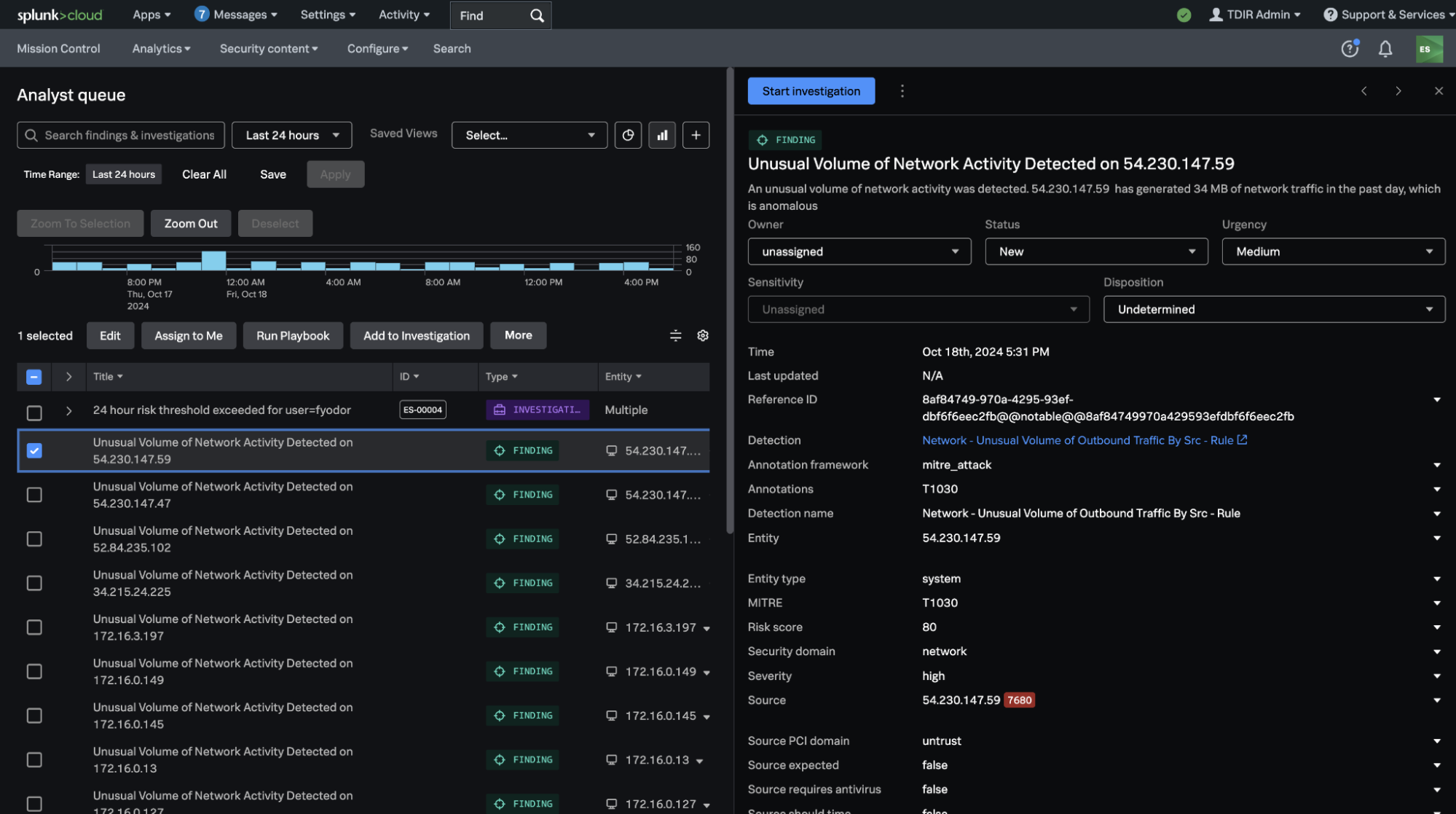
Source: Splunk

5. Microsoft Sentinel

Best for: Organizations using Microsoft security tools that need a cloud SIEM
Strengths: Built-in SOAR, UEBA, data lake, and Security Copilot support
Things to consider: Costs scale with the volume of data ingested and retained
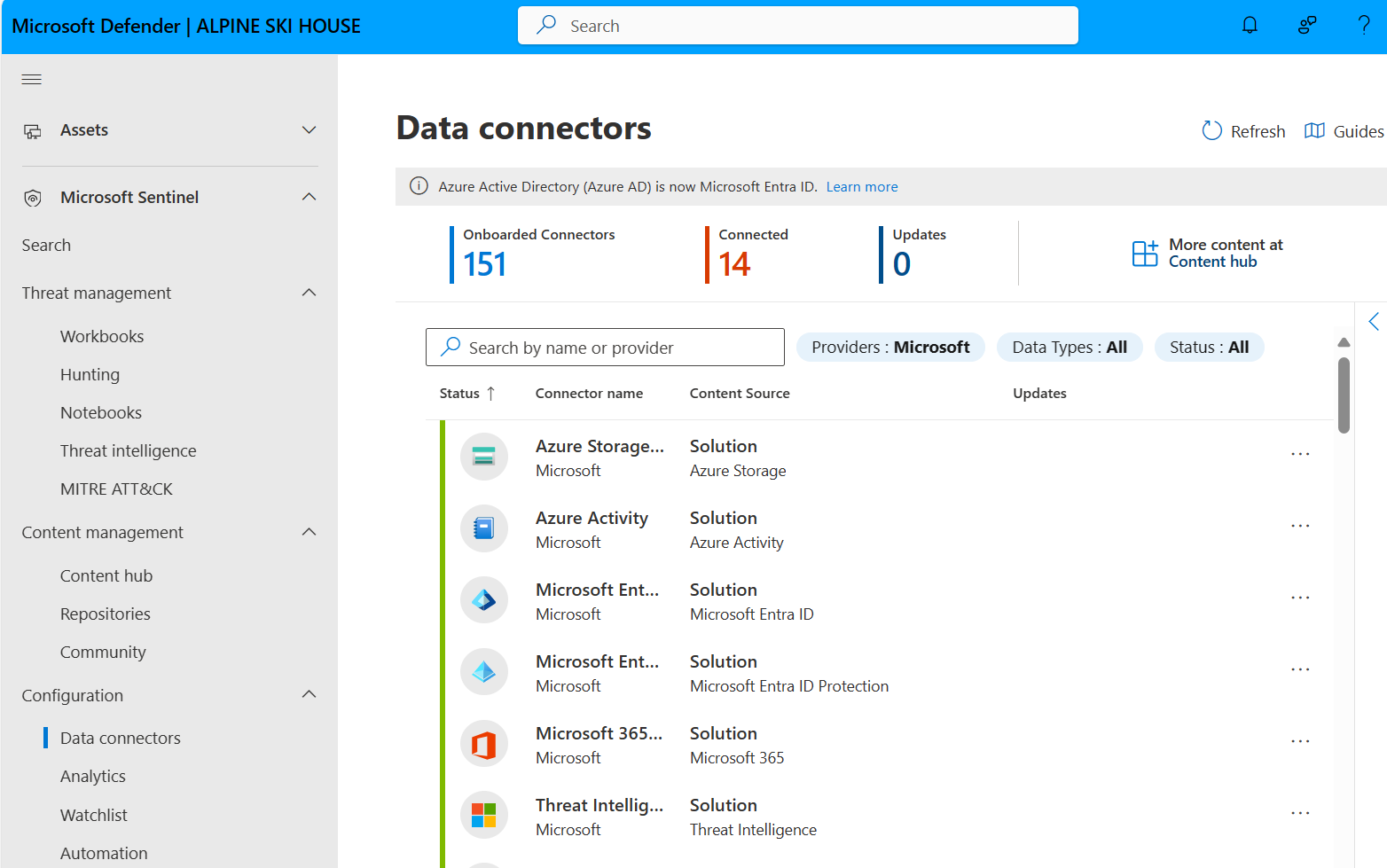
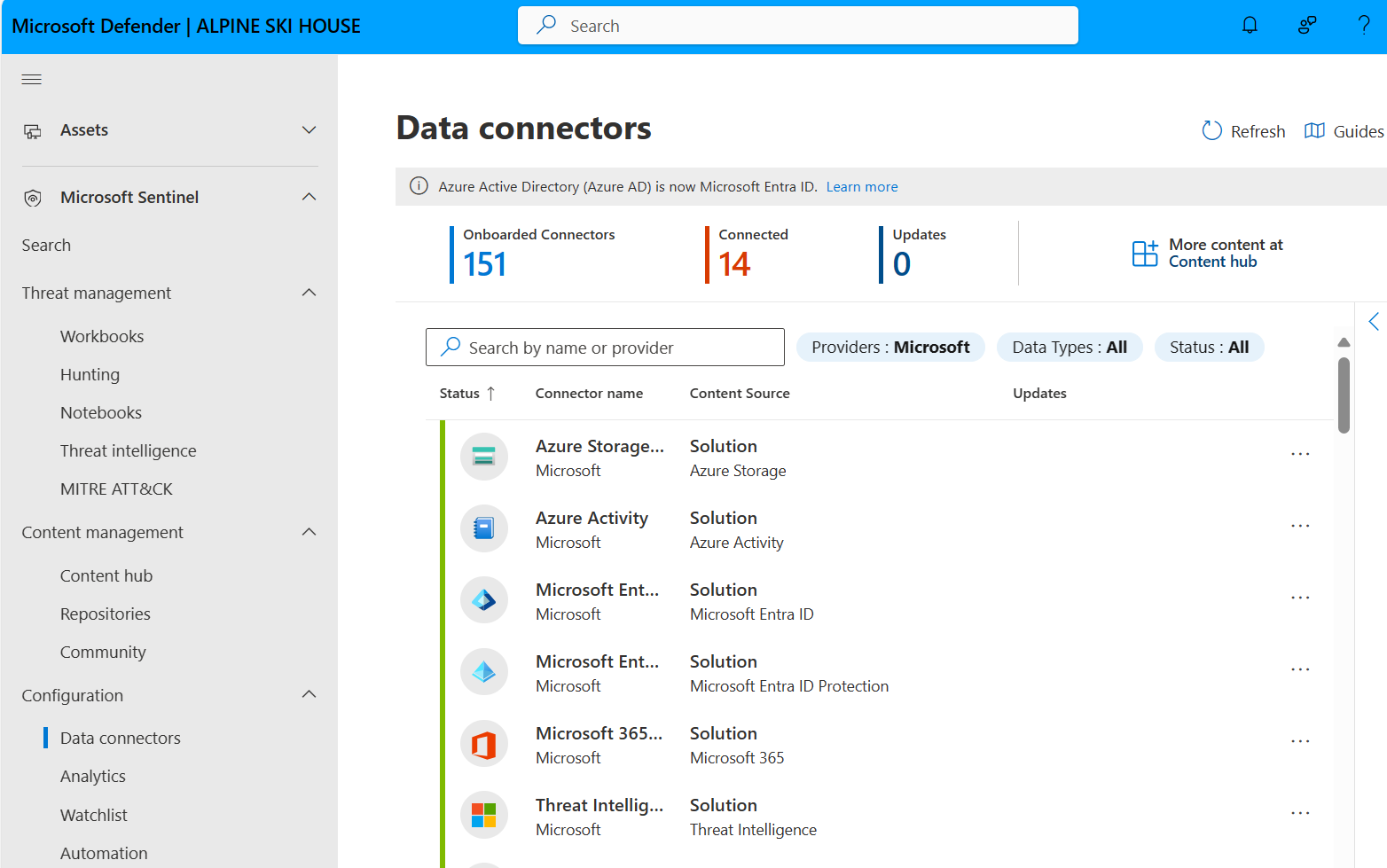
Microsoft Sentinel is a cloud-native SIEM that collects data from identities, endpoints, cloud apps, and infrastructure across multicloud and on-premises environments. It includes built-in SOAR, UEBA, threat intelligence, and case management, and it is unified with Microsoft Defender XDR in the Microsoft Defender portal for a single incident workflow.
Data is ingested through more than 400 connectors and a codeless connector framework, and a built-in data lake stores long-term logs for hunting and compliance. Security Copilot can summarize incidents, draft KQL queries, and recommend next steps. Pricing is based on the data ingested, stored, and consumed.
Key features include:
- Data collection: Ingests data through more than 400 connectors, with a no-code framework for building custom connectors.
- Built-in SOAR: Provides out-of-the-box playbooks and codeless automation for triage and response.
- UEBA: Baselines normal activity to detect compromised accounts and insider risk that rule-based detection misses.
- Data lake: Stores and queries years of security data for hunting, compliance, and detection while controlling storage costs.
- Security Copilot: Summarizes incidents, drafts KQL queries, and recommends next steps within the analyst workflow.
- SOC optimization: Provides recommendations for tuning rules, surfacing high-fidelity alerts, and reducing ingestion costs.
- SIEM migration: Uses an AI-assisted tool to convert Splunk and QRadar detection rules into native Sentinel detections.
Limitations (as reported by users on G2):
- Ingestion costs: Costs can rise quickly as log volume grows, especially with verbose sources such as firewall logs.
- Rule tuning: Some out-of-the-box analytics rules generate noisy alerts and need tuning before they are useful.
- KQL learning curve: Writing queries in KQL takes time for teams new to the language.
- Advanced automation effort: Advanced SOAR use cases often require Logic Apps customization, and troubleshooting these automations can be complex.
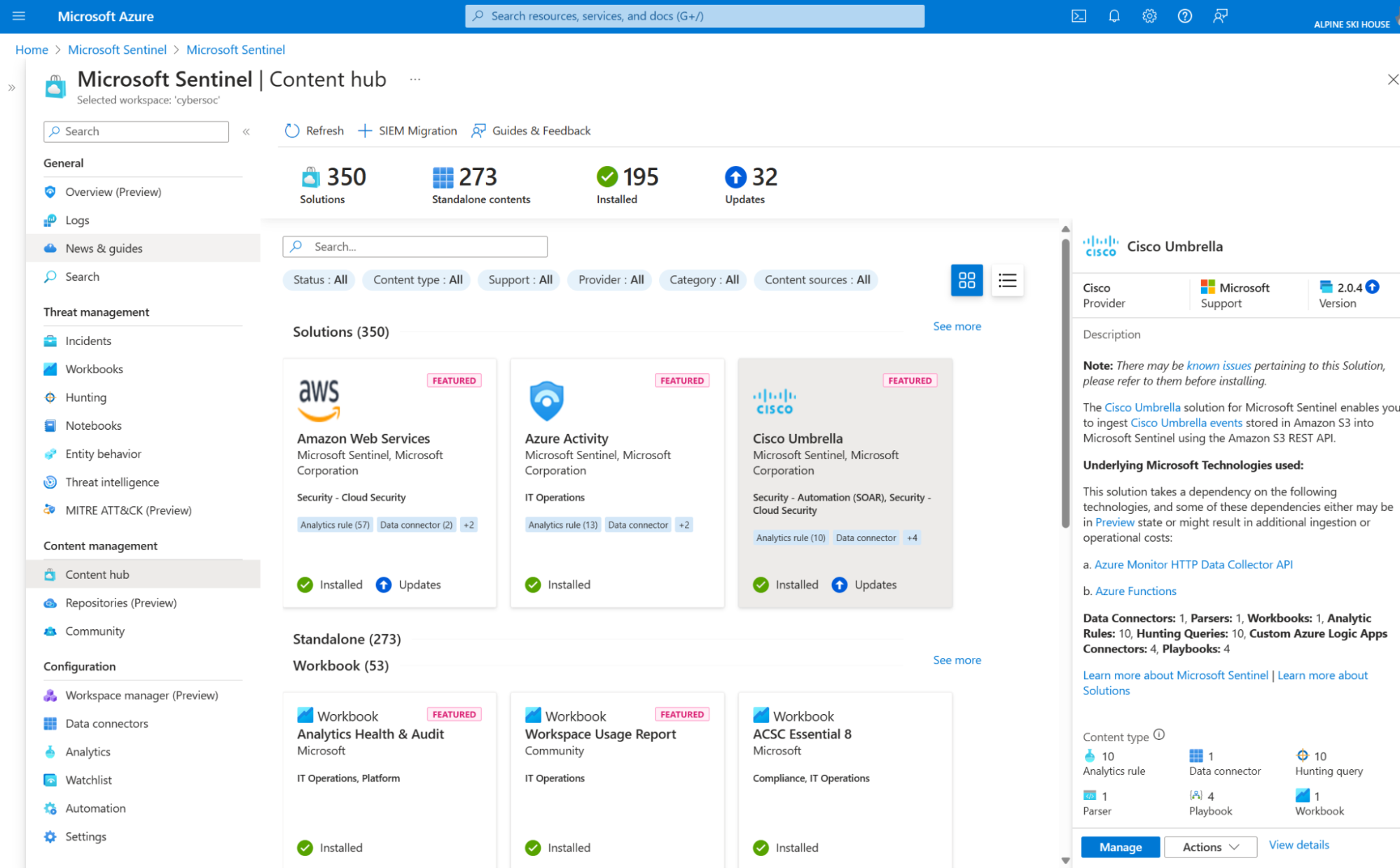
Source: Microsoft
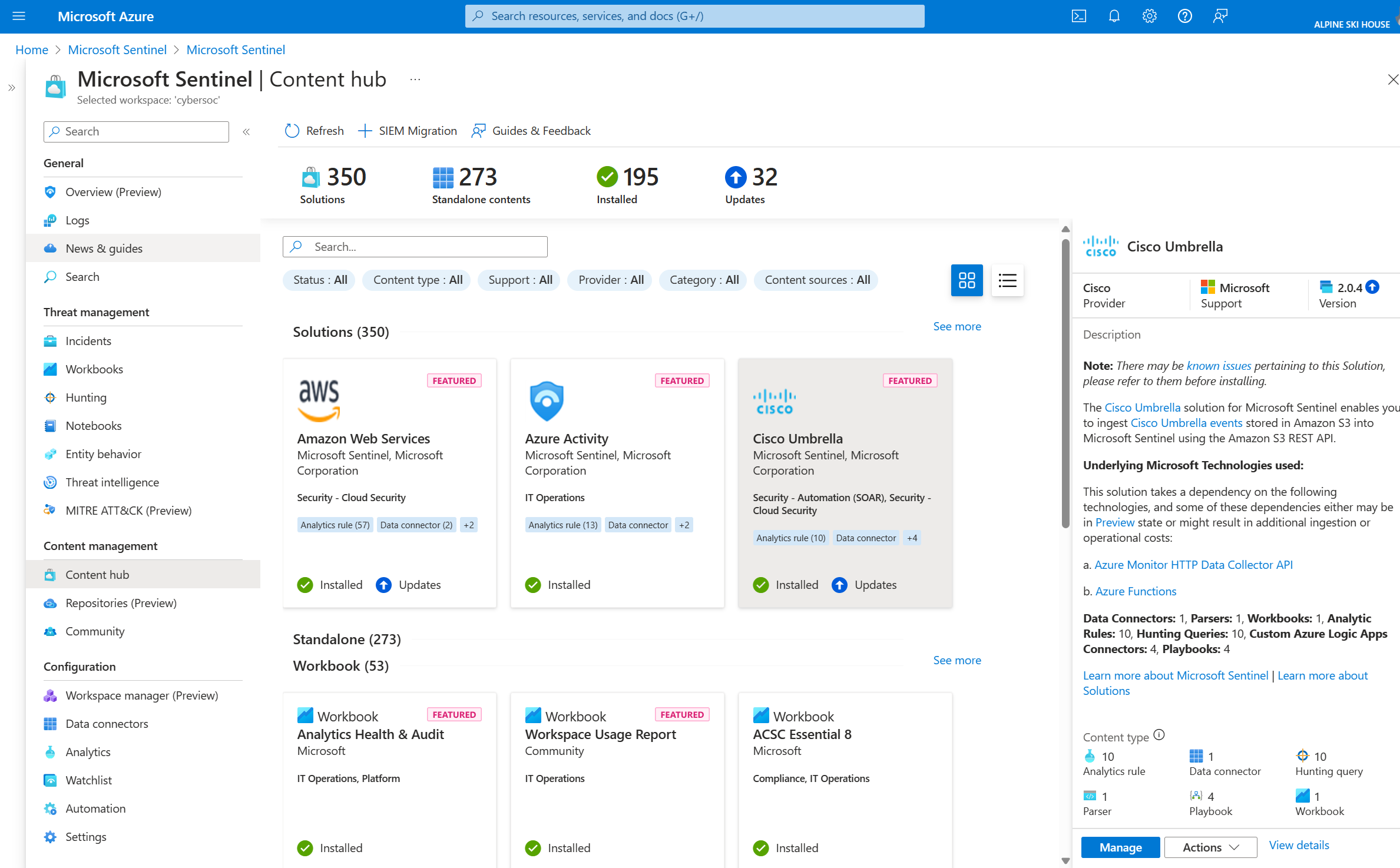
6. Google Security Operations

Best for: Teams needing long log retention with combined SIEM and SOAR
Strengths: Curated detections, YARA-L rules, and 300+ SOAR integrations
Things to consider: Detection rules use YARA-L, which new users must learn
Google Security Operations (Google SecOps) is a cloud-native platform that combines SIEM, SOAR, and threat intelligence for detection, investigation, and response. It includes curated detections maintained by Google threat researchers, custom detection authoring in YARA-L, and data pipeline management to route, filter, redact, and transform telemetry.
Investigations use threat-centric case management, alert graphing, and automatic stitching of related entities. The SOAR component orchestrates more than 300 tools through playbooks. Packages are priced by ingestion and include 12 months of data retention, with higher tiers adding UEBA and Google Threat Intelligence.
Key features include:
- Curated and custom detections: Provides out-of-the-box detections maintained by Google researchers and supports custom rules written in YARA-L.
- Gemini assistance: Supports natural language search, detection and playbook creation, AI-generated case summaries, and response recommendations.
- Investigation tools: Offers threat-centric case management, context-rich alert graphs, and automatic entity stitching.
- SOAR playbooks: Automates response actions across more than 300 tools, including EDR, identity, and network security products, with an auto-documenting case wall.
- Data pipeline management: Routes, filters, redacts, and transforms security telemetry before analysis.
- Threat intelligence: Enterprise Plus includes Google Threat Intelligence, covering Mandiant, VirusTotal, and Google intelligence, with prioritization of indicator matches.
- Response metrics: Tracks analyst productivity and MTTR for reporting to stakeholders.
Limitations (as reported by users on G2):
- YARA-L learning curve: Teams coming from SPL or KQL need dedicated training to write custom YARA-L rules.
- Custom parsers: Non-standard or in-house log sources require building custom parsers, which can slow onboarding.
- Rigid dashboards: Native dashboards offer limited customization, and some teams export data to external BI tools for reporting.
- Inconsistent experience: Some users find the SIEM and SOAR sides of the platform less unified in navigation and workflow.
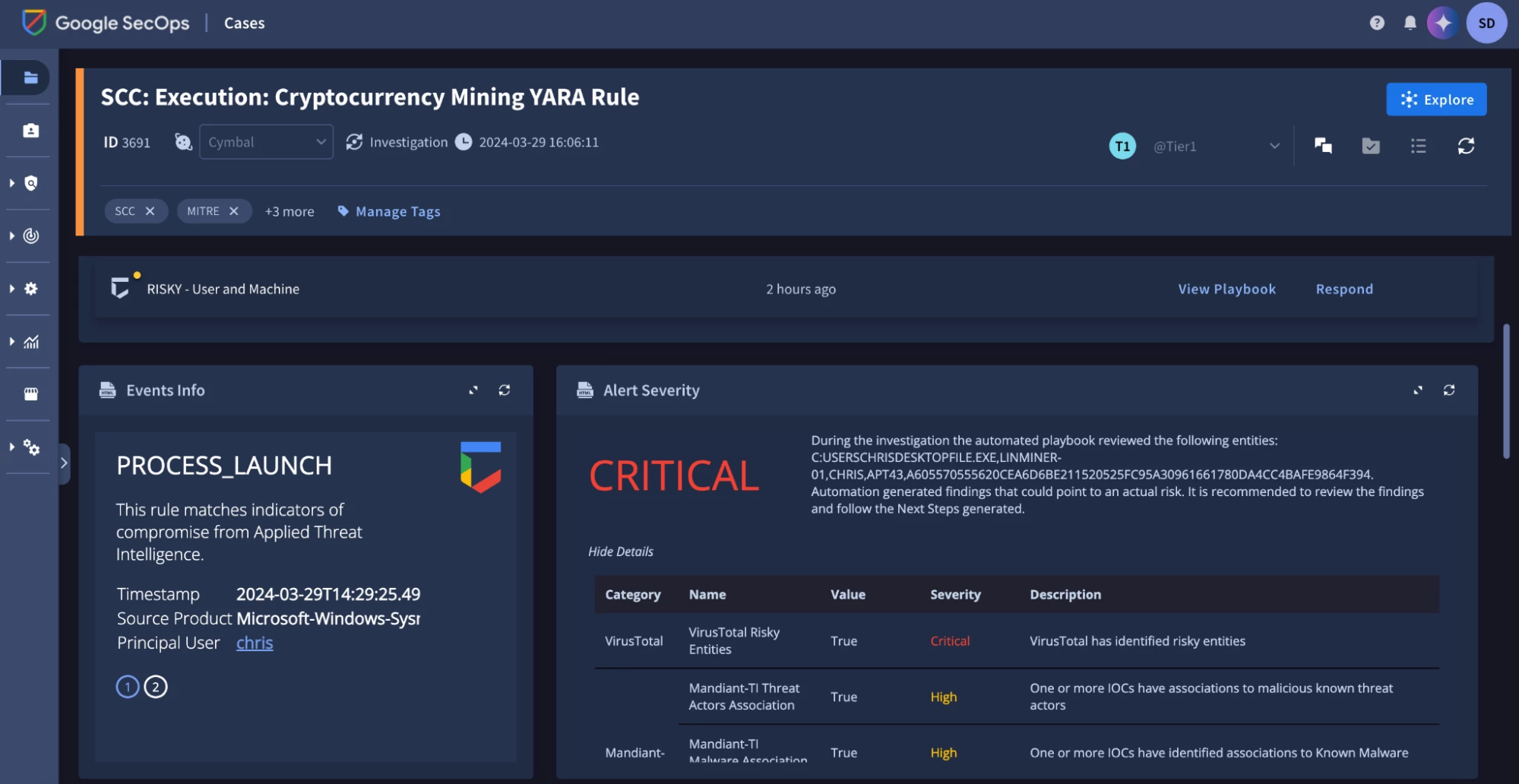
Source: Google
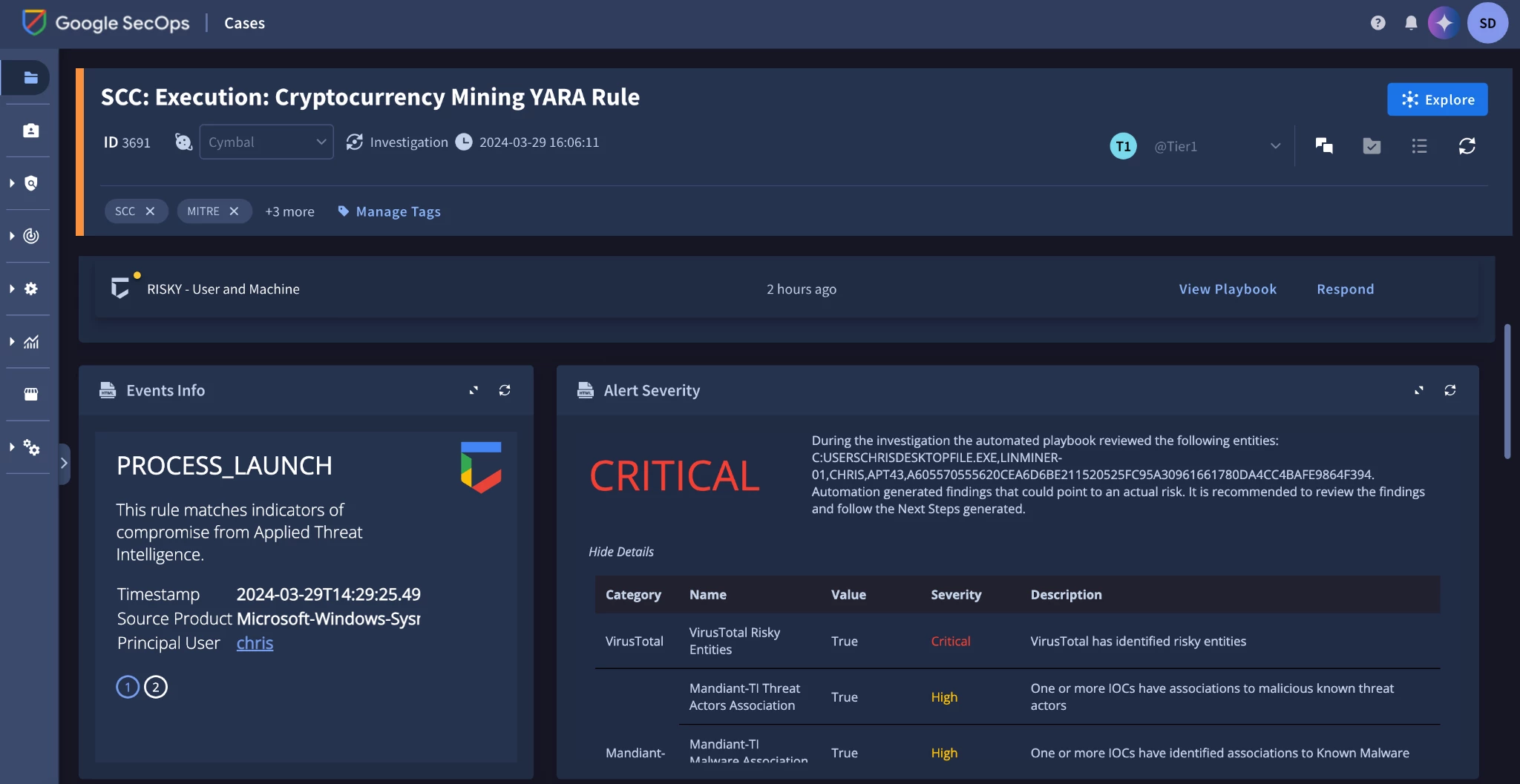
SOAR and Workflow Automation Platforms
7. Cortex AgentiX

Best for: SOCs extending XSOAR-style playbooks with governed AI agents
Strengths: 1,100+ integrations, MCP support, and approval controls
Things to consider: Building and tuning playbooks typically needs dedicated staff
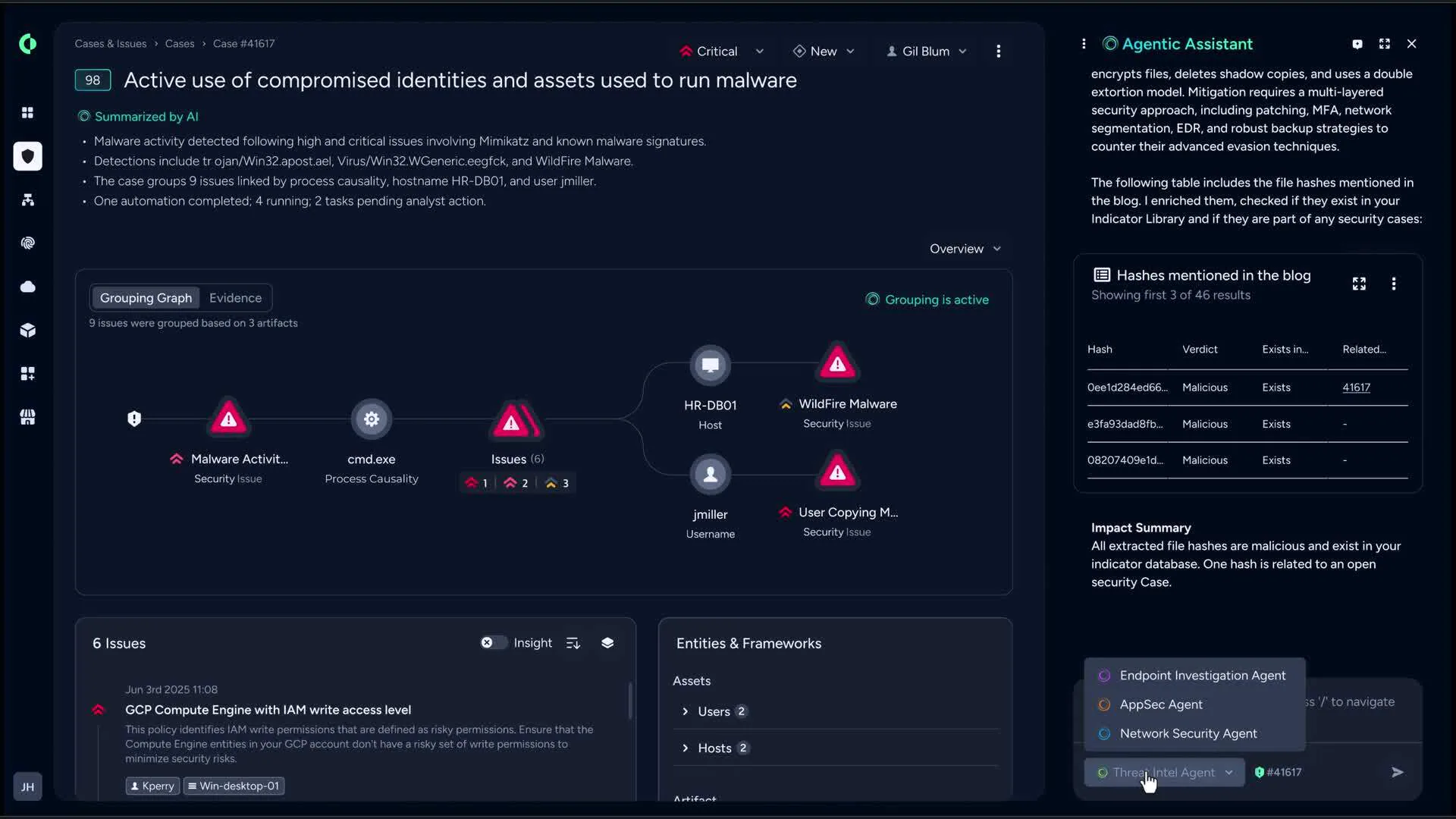
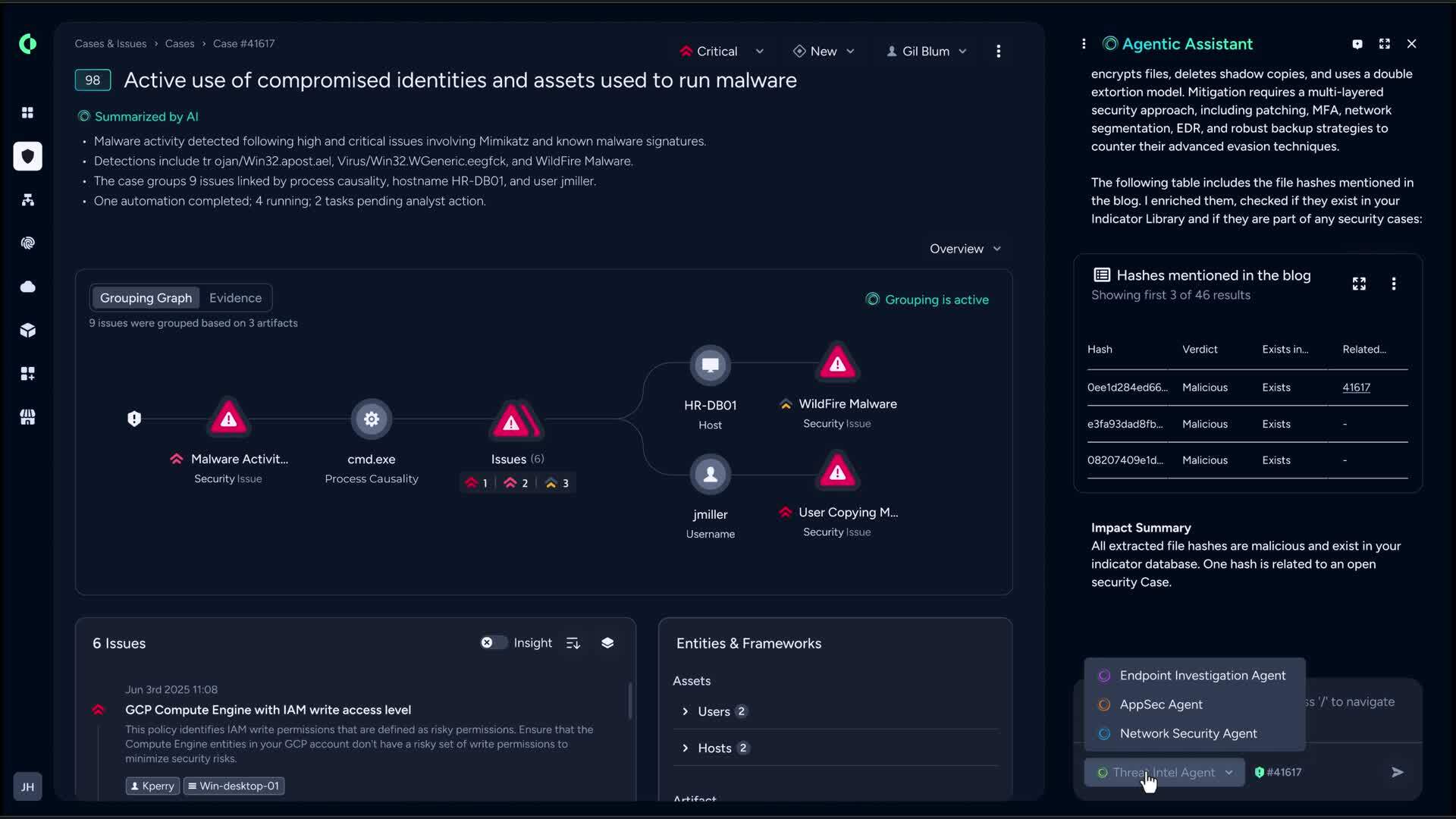
Cortex AgentiX is Palo Alto Networks' security automation platform and the next generation of Cortex XSOAR. It deploys AI agents that plan and carry out workflows, either when prompted by an analyst or when triggered automatically. Teams can choose from a library of specialized agents, such as a Case Investigation Agent and an Automation Engineer Agent, or build their own.
Agents operate within the same roles and permissions as analysts, and administrators define when agents act independently and when high-impact actions require approval. AgentiX also powers the Cortex Agentic Assistant across Cortex XSIAM, Cortex XDR, and Cortex Cloud.
Key features include:
- Prebuilt and custom agents: Provides specialized agents for tasks such as case investigation and automation engineering, and supports building agents grounded in organizational context and policies.
- Autonomy controls: Lets administrators set when agents act independently or require human approval, with agents bound by existing roles and permissions.
- Reasoning transparency: Shows each step of an agent's reasoning process for review.
- AI in playbooks: Adds prebuilt or custom natural language prompts to playbooks for tasks such as summarizing raw logs, normalizing data, and analyzing threats.
- Integrations and MCP: Offers more than 1,100 prebuilt integrations and native Model Context Protocol support, including assigning tools from external MCP servers to agents.
- Cortex MCP Server: Lets teams query Cortex data from an LLM of their choice.
- In-workflow agents: Allows analysts to tag an agent at any stage of detection and response.
Limitations (as reported by users on G2):
- Dedicated staffing: Creating and modifying playbooks and underlying configurations such as mappers and classifiers typically requires a dedicated team.
- Generic prebuilt playbooks: Out-of-the-box playbooks are often too generic to use directly and need significant changes.
- Learning curve: Users report that configuration is complex and takes time to learn.
- Reporting and cost: Reporting offers limited customization, and licensing is considered expensive.
Source: Palo Alto Networks
8. Tines

Best for: Security teams building custom automated workflows and AI agents
Strengths: Any-API connectivity, no-code builder, configurable AI autonomy
Things to consider: Large workflows can become hard to navigate and debug
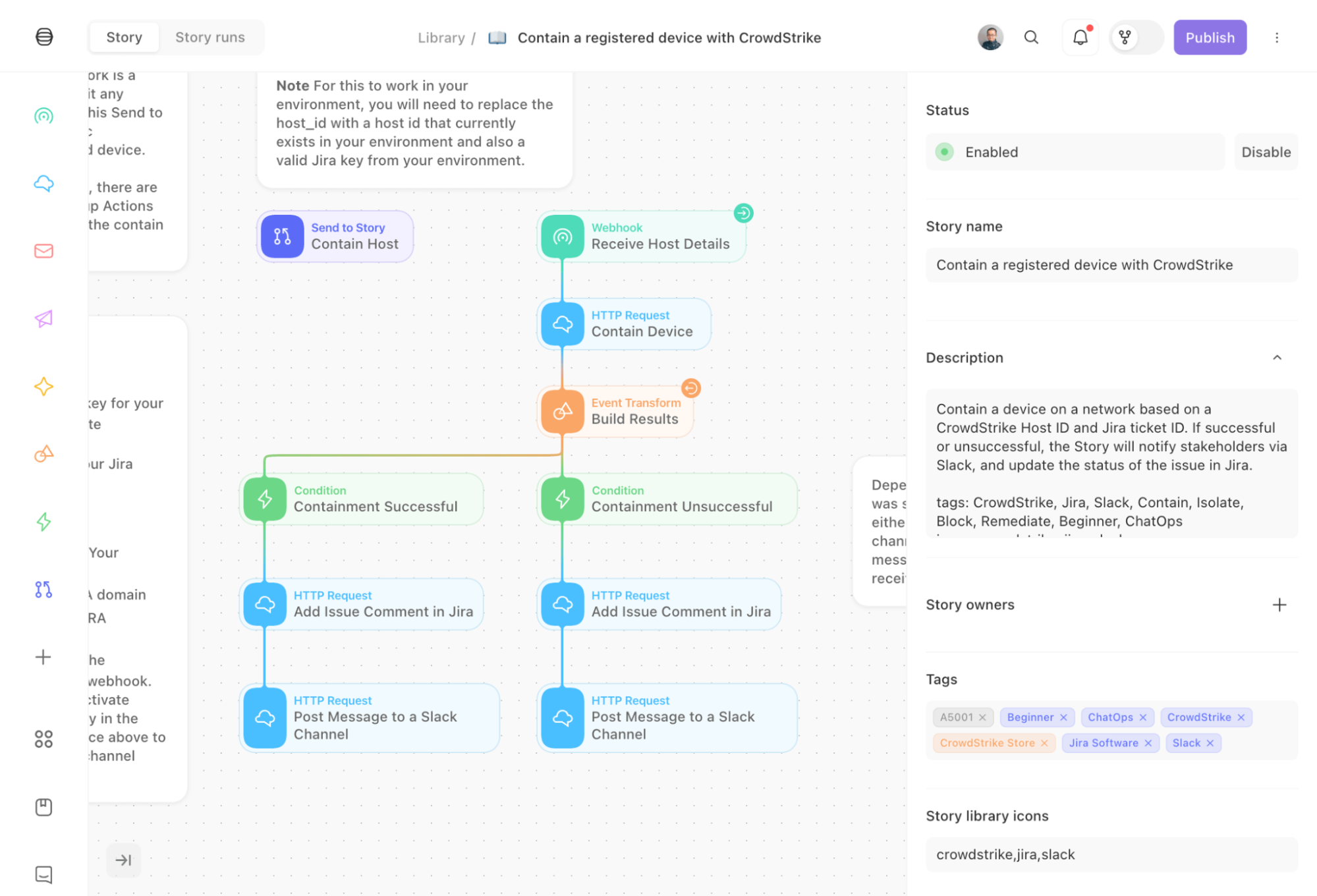
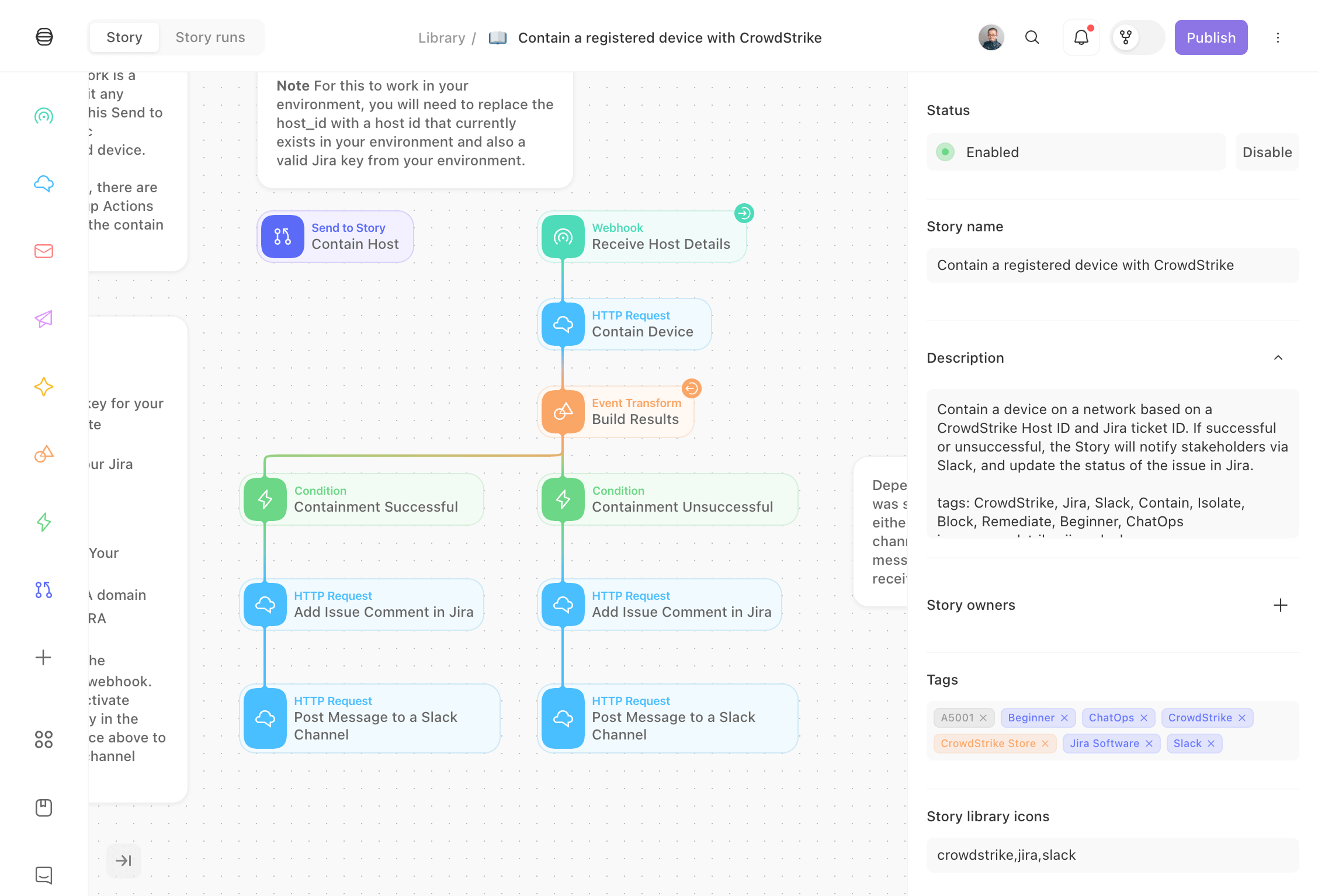
Tines is an intelligent workflow platform that security teams use for SOAR and AI SOC use cases, including alert intake, triage, enrichment, and remediation. Workflows can be built using natural language or a drag-and-drop interface, and they connect to any tool with an API, with pre-built workflows available for common tasks.
Teams set the level of autonomy for each workflow, from fully autonomous AI agents to deterministic workflows and human-in-the-loop decisions. Built-in case management, monitoring, and audit trails track actions from open to close, and organizations can choose which LLMs are used.
Key features include:
- Flexible workflow builder: Builds agents, apps, and automations using natural language or a step-by-step drag-and-drop interface.
- Any-API connectivity: Connects to any vendor with an API and includes pre-built workflows for security use cases.
- Alert enrichment and prioritization: Enriches and prioritizes alerts with context from across the security stack before they reach an analyst.
- Configurable AI autonomy: Defines whether each workflow runs as an autonomous agent, a deterministic workflow, or with human approval.
- Case management: Provides customizable case templates, collaboration, and AI agents that can create, triage, and resolve cases.
- Governance and auditability: Maintains audit trails and monitoring for every action, and lets organizations control where and how LLMs are used.
- Security use cases: Supports vulnerability management, threat hunting, threat intelligence, identity and access, GRC, and network security workflows.
Limitations (as reported by users on G2):
- Large workflow management: Stories with many branches and conditions become hard to navigate, and small changes require careful testing.
- Debugging and error messages: Error messages can be generic, which makes it harder to trace failures in long workflows.
- Version control: There is no native git-style diffing, which makes it harder to track changes when several people edit a workflow.
- Pricing and dependencies: Enterprise pricing can be high for smaller teams, and workflows depend on the availability of third-party APIs.
Source: Tines
9. Torq AI SOC Platform

Best for: SOCs combining agentic triage with hyperautomation workflows
Strengths: AI triage, case management, and autonomous response
Things to consider: Steep learning curve reported for advanced workflows
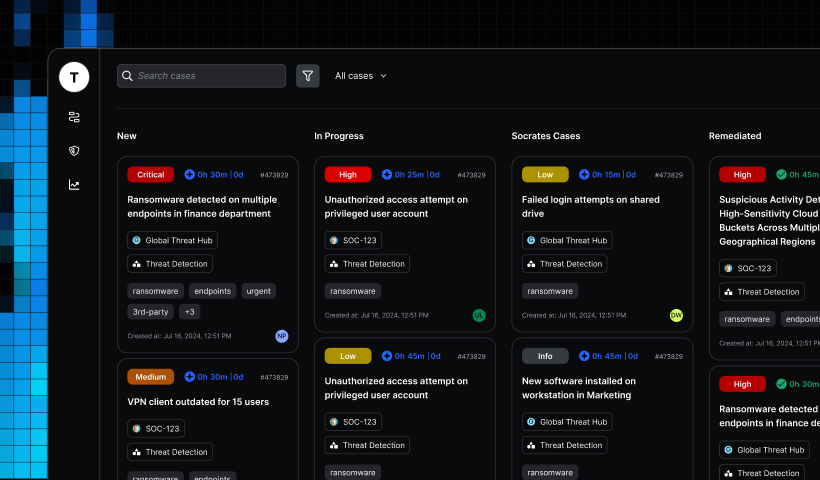
Torq AI SOC Platform combines AI agents and workflow automation to triage, investigate, and respond to security events. Its triage capability deduplicates events, filters false positives, and issues AI verdicts based on the team's past decisions, with audit logs and a manual override option.
Specialized AI agents handle repetitive investigation tasks and record evidence, timelines, and recommended actions. Socrates, a natural language agentic AI, executes response actions autonomously or with human-on-the-loop oversight. A context model captures verdicts, exceptions, and overrides to inform future decisions.
Key features include:
- Auto Triage: Deduplicates events, filters false positives, and prioritizes threats with AI verdicts grounded in past analyst decisions.
- Case management: Creates, assigns, and manages cases automatically from a single source of truth.
- AI agent investigations: Deploys specialized AI agents (HyperAgents) that perform investigation tasks and record evidence, timelines, and recommended actions.
- Socrates response: Uses natural language-driven agentic AI to remediate threats autonomously or with human oversight.
- Threat hunting: Runs agentic runbooks that access authorized data and tools, cross-reference historical cases, and summarize findings.
- Context and memory: Maintains a continuously updated context model that records each verdict, exception, and override.
- Hyperautomation: Provides a workflow automation engine and integrations for security and IT processes.
Limitations (as reported by users on G2):
- Learning curve: Users report a steep initial learning curve that requires training and support.
- Pricing and licensing: Pricing and licensing are considered complex, with high entry costs for enterprises.
- Workflow debugging: Debugging nested workflow errors can be difficult, and steps may need updates when integrated tools change.
- Integration support: Some third-party integrations require help from the Torq support team to enable.
Source: Torq
Endpoint Security Automation
10. CrowdStrike Falcon Insight XDR
Best for: Organizations using one agent for EDR and XDR response
Strengths: Real Time Response, Charlotte AI leads, Falcon Fusion SOAR
Things to consider: Additional modules are licensed separately
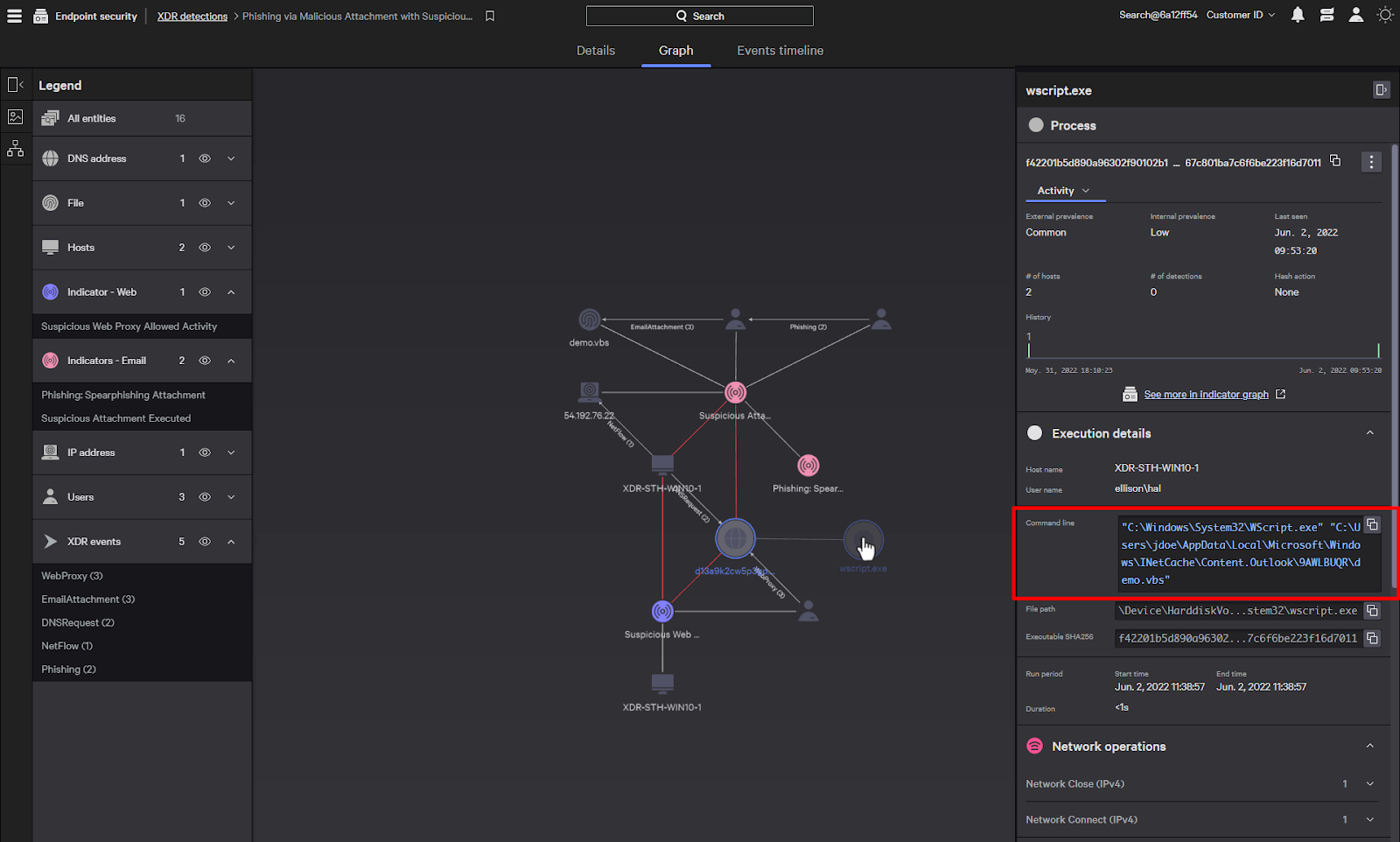
CrowdStrike Falcon Insight XDR combines endpoint detection and response with identity, cloud, and mobile telemetry on the Falcon platform. Detections are enriched with CrowdStrike threat intelligence, and automated leads from CrowdStrike Signal and Charlotte AI help prioritize threats, with attack path visibility and MITRE ATT&CK mappings.
For response, Real Time Response provides direct access to endpoints, and native Falcon Fusion SOAR automates repetitive tasks. The product includes 10GB per day of third-party data ingest, and organizations can add 24/7 managed threat hunting and managed detection and response.
Key features include:
- AI-powered EDR: Detects threats on endpoints with detections enriched by CrowdStrike threat intelligence.
- Automated leads: Uses CrowdStrike Signal and Charlotte AI to prioritize threats, with attack paths, adversary context, and MITRE ATT&CK mappings.
- Real Time Response: Provides direct remote access to systems for investigation and remediation.
- Falcon Fusion SOAR: Automates complex response tasks natively within the Falcon platform.
- XDR extension: Adds context from identity, cloud, mobile, and data protection modules, plus 10GB per day of third-party data ingest in the same console.
- Managed services: Offers optional 24/7 managed threat hunting and managed detection and response.
- Supply chain protection: Blocks malicious open-source packages at download on Windows, macOS, and Linux.
Limitations (as reported by users on PeerSpot):
- Module-based cost: Pricing for each additional feature or module can increase total cost, and per-host licensing is considered expensive.
- Dashboard customization: Building custom dashboards is cumbersome and less intuitive than expected.
- Documentation: Documentation is reported as needing significant improvement.
- Legacy OS support: Support for legacy operating systems is more limited than some competing products.
Source: CrowdStrike
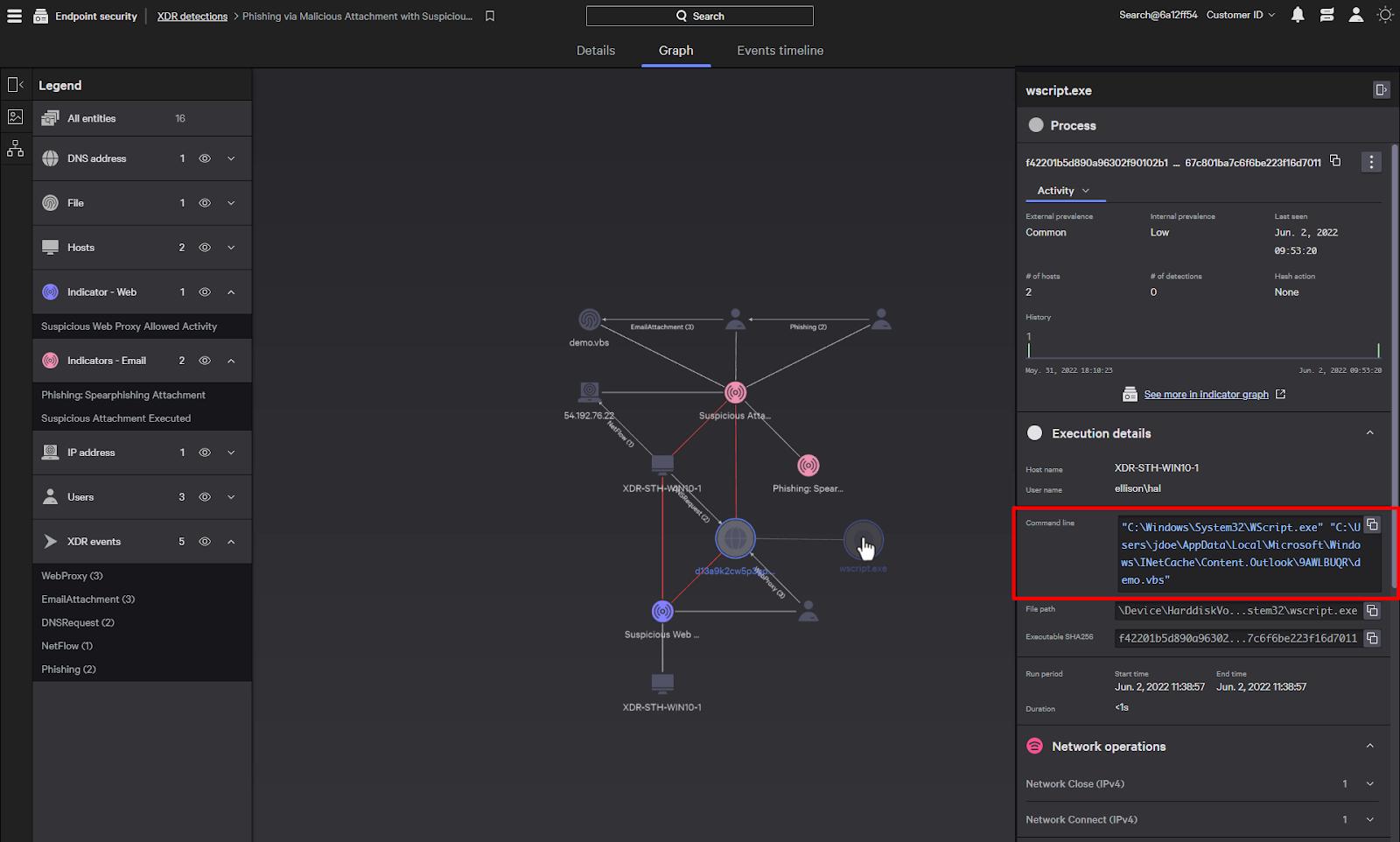
11. SentinelOne Singularity Endpoint

Best for: Teams needing autonomous endpoint response, including offline devices
Strengths: Behavioral AI detection with one-click rollback and remediation
Things to consider: Dashboard and reporting customization reported as limited
SentinelOne Singularity Endpoint combines endpoint protection, endpoint detection and response, and automated remediation in a single agent. It uses behavioral AI to detect threats such as ransomware, zero-day exploits, supply chain attacks, and fileless malware, and it contains threats on the device whether the endpoint is online or offline.
When an attack occurs, the platform can isolate devices, kill malicious processes, and roll back changes to restore a trusted state. It covers workstations, cloud workloads, and mobile devices across SaaS, on-premises, hybrid, and air-gapped environments, and the same agent supports identity threat detection.
Key features include:
- Single agent EPP and EDR: Combines prevention, detection, investigation, and response without separate agents.
- Behavioral AI: Identifies malicious activity based on process behavior rather than relying only on signatures.
- Autonomous containment: Contains threats on the endpoint in real time, including when the device is disconnected from the network.
- One-click remediation and rollback: Isolates devices, kills processes, and rolls back changes to a trusted state.
- Telemetry integration: Combines endpoint, identity, cloud, and third-party telemetry for investigation.
- Identity protection: Uses the same agent to detect credential theft, privilege escalation, and lateral movement across Active Directory and cloud identity providers.
- Deployment coverage: Supports workstations, cloud workloads, and iOS, Android, and ChromeOS devices across SaaS, on-premises, hybrid, and air-gapped environments.
Limitations (as reported by users on PeerSpot):
- Dashboard customization: Users report a need for more dashboard customization and better reporting.
- Support responsiveness: Support response speed and escalation can be inconsistent.
- Third-party conflicts: The agent sometimes conflicts with third-party solutions.
- Resource consumption: Some users report higher resource consumption than expected.
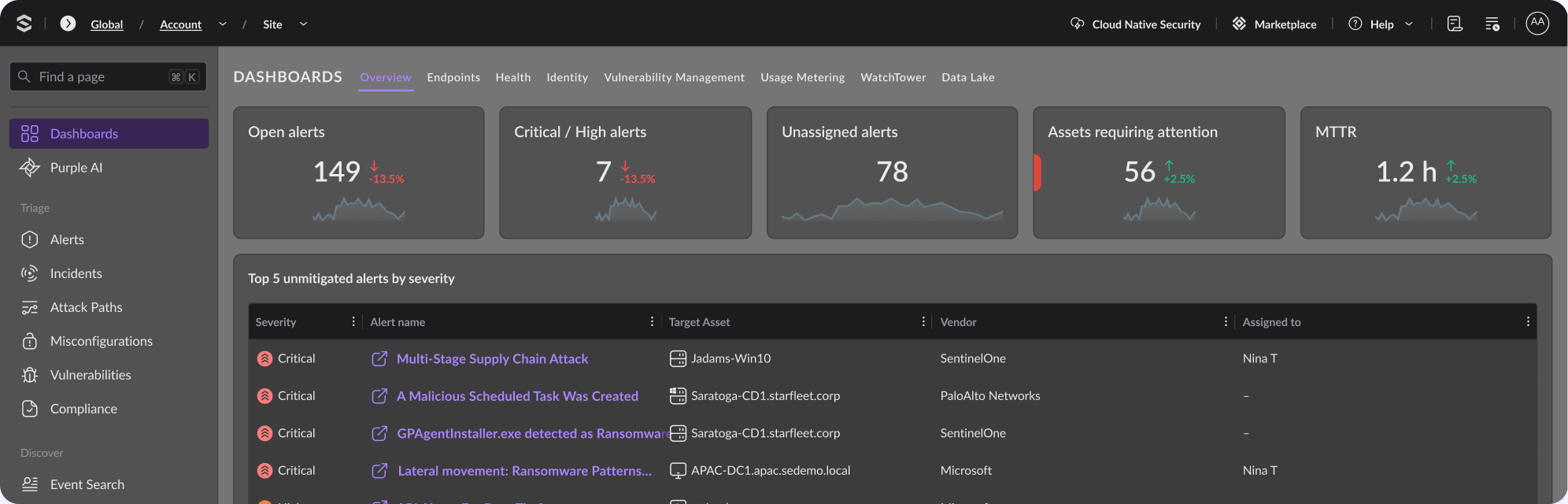
Source: SentinelOne
12. Microsoft Defender for Endpoint
Best for: Microsoft 365 organizations securing Windows, Mac, Linux, and mobile
Strengths: Automatic attack disruption and native Defender XDR correlation
Things to consider: Features and pricing depend on Microsoft licensing tier
Microsoft Defender for Endpoint is a cloud-native endpoint security solution that provides next-generation antivirus, endpoint detection and response, mobile threat protection, and advanced hunting across Windows, macOS, Linux, Android, iOS, and IoT devices. It is managed from the Microsoft Defender XDR portal, which also covers vulnerability management.
Automatic attack disruption blocks lateral movement and remote encryption across devices during ransomware attacks. Security Copilot supports investigation and response, and exposure management helps reduce the device attack surface. Settings can be managed alongside Microsoft Intune for coordination between security and IT teams.
Key features include:
- Automatic attack disruption: Blocks lateral movement and remote encryption across devices to disrupt ransomware attacks.
- Security Copilot: Provides security-specific generative AI for investigating and responding to incidents.
- Exposure management: Offers pre- and post-breach capabilities to reduce exposure risk across the device estate.
- Next-generation antivirus: Includes Microsoft Defender Antivirus with real-time, behavior-based, and cloud-delivered protection.
- Device discovery: Maps managed and unmanaged Windows, Linux, macOS, iOS, Android, IoT, and network devices from a single view.
- Flexible controls: Provides granular controls for policies, web and network access, detections, and automated workflows.
- Unified management: Manages endpoint security from the Defender XDR portal, with settings mirrored in Intune.
Limitations (as reported by users on PeerSpot):
- False positive handling: Managing false positives is described as convoluted.
- Reporting: Reporting could be faster and more flexible.
- Licensing dependency: Access to full capabilities depends on having the right Microsoft license.
- Policy rollout time: The time it takes to implement policies has room for improvement.
Source: Microsoft
Conclusion
Security automation tools help SOC teams investigate more alerts, reduce repetitive work, and respond to threats more consistently. Effective automation should combine evidence collection, cross-source correlation, risk-based prioritization, and controlled response workflows while preserving human review for uncertain or high-impact actions. Organizations should select capabilities based on their existing security stack, alert volume, integration requirements, and the level of automation they can safely support.